Readers looking at this in a glb viewer will see why a low triangle count does not guarantee a mobile-ready GLB. The piece compares Meshy 3D Agent's treasure chest output with Snapshapy's on file size and texture budget.
I asked Meshy 3D Agent for "a lightweight game-ready version for a mobile game" of a fantasy treasure chest. The reply said it was ready at 4,962 triangles. The GLB I downloaded weighed 37.0 MB, and 36.6 MB of that, 99 % of the file, was two 4096 × 4096 textures. Snapshapy's 3D Agent got the same three messages and handed back a 4.55 MB chest with three 1024 × 1024 textures totaling 4.10 MB. One prop, 8.1× the bytes.
I tested Meshy 3D Agent at meshy.ai and Snapshapy's 3D Agent at snapshapy.com on my own paid accounts, Meshy Pro ($20 a month for 1,000 credits) and Snapshapy Pro. Every number below comes from a balance I watched, a job card, a stopwatch, or a file I downloaded and opened myself.
A mobile prop has two budgets. One is the triangle count, which the Meshy reply talked about. The other is the file a phone has to download and hold in memory, which the Meshy reply did not mention. This review is about the second one.
My verdict in 60 seconds — Meshy 3D Agent 58/100, Snapshapy 90/100
Meshy 3D Agent cut the mesh and left the file heavy, so its "lightweight" chest still needs a texture pass by hand before it belongs in a mobile build.
- Mobile file size — Meshy 3/10 · Snapshapy 9/10 — 37.0 MB vs 4.55 MB for one chest, 8.1×
- Texture budget — Meshy 2/10 · Snapshapy 9/10 — two 4096 × 4096 maps (36.6 MB) vs three 1024 × 1024 maps (4.10 MB)
- Texture pixels — Meshy 2/10 · Snapshapy 9/10 — 33,554,432 vs 3,145,728, 10.7×
- Download on 12 Mbps — Meshy 3/10 · Snapshapy 9/10 — ≈24.7 s vs ≈3.0 s per chest
- Reply vs file — Meshy 3/10 · Snapshapy 9/10 — "normal maps … intact" with no normal map in the GLB vs a 1024 normal map that is there
- Credits per chest — Meshy 4/10 · Snapshapy 9/10 — 66 vs 11, $1.32 vs $0.52
- Approval clicks — Meshy 5/10 · Snapshapy 9/10 — 2 vs 0, 20 vs 0 over ten chests
- Concept round — Meshy 5/10 · Snapshapy 9/10 — ≈310 s vs ≈43 s for four single chests
The concrete problems with the Meshy chest:
- The mobile GLB is 37.0 MB, 40 % of the 91.4 MB original it came from.
- Both textures stayed at 4096 × 4096, so 99 % of the file is texture.
- The reply promised normal maps; the downloaded file has none.
- One chest cost 66 credits and stopped twice for an Approve click.
For a lightweight mobile game prop, I would use Snapshapy.
Three messages, one chest, and the word "lightweight"
Both agents got the same three messages, typed verbatim, one conversation each:
- "Give me 4 concepts for a fantasy treasure chest game prop."
- "Go with option 1 and make it a textured 3D model."
- "I need a lightweight game-ready version for a mobile game."
Whenever an agent showed a choice card, I picked the first option. The Meshy run is from 2026-11-03 and the Snapshapy run is from 2026-11-04. I ran the Snapshapy half the next day, after an update; the Meshy numbers are from the first day.
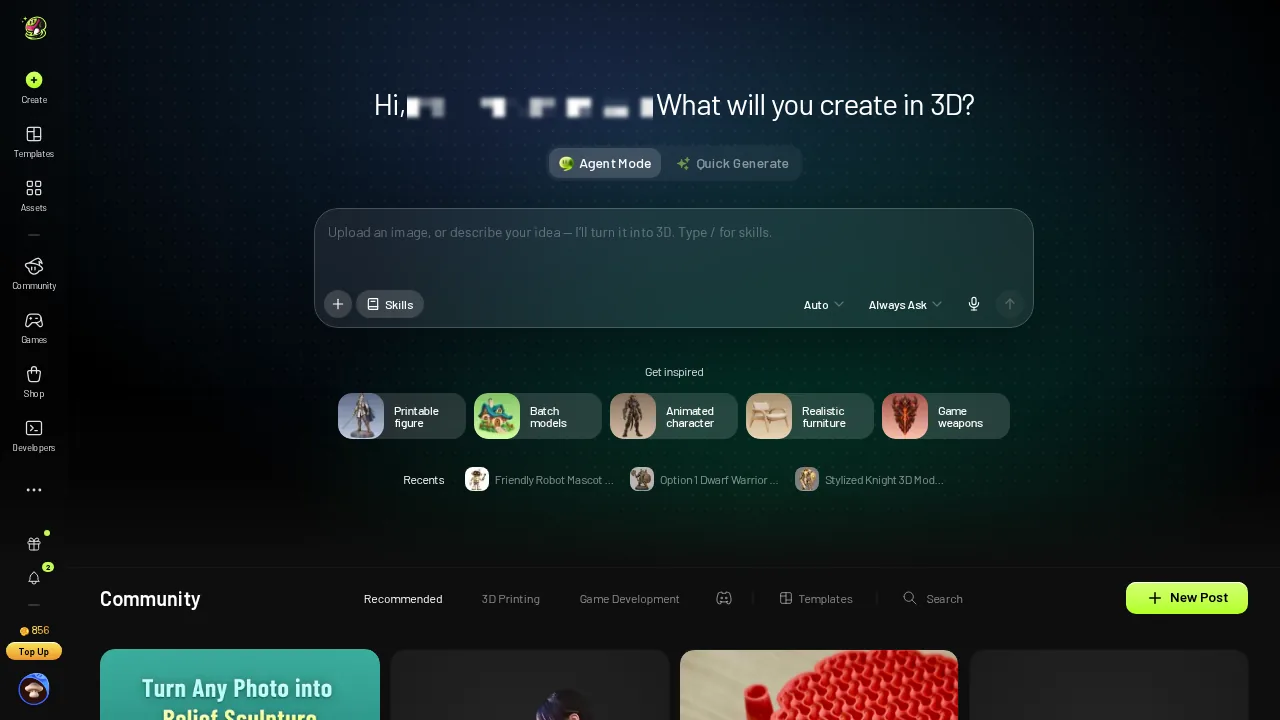 Meshy 3D Agent's chat home before the test.
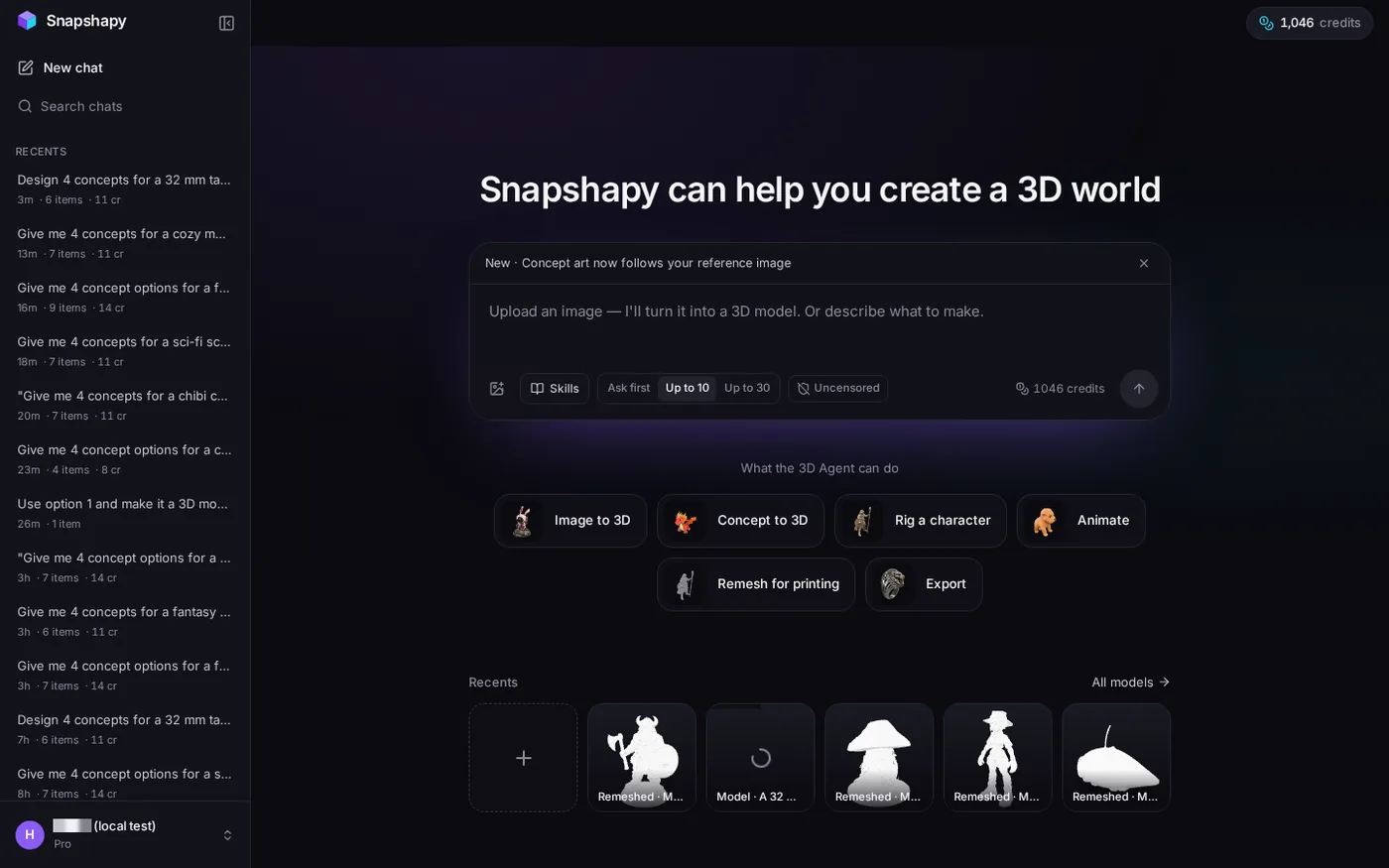 Snapshapy 3D Agent home with 1,046 credits before the test.
Message 3 is the whole test. "Lightweight" and "mobile" sit in the same sentence, so I read the request the way a game build reads it: small mesh, small textures, small download. Meshy delivered the first item on that list.
4,962 triangles inside a 37.0 MB Meshy GLB
About 117 seconds after message 3, Meshy replied: "The mobile-optimized version of the Dwarven Runic Chest is ready at 4,962 triangles, keeping the full texture fidelity, normal maps, and silhouette intact for real-time mobile rendering." The mobile step cost 0 credits and needed no approval.
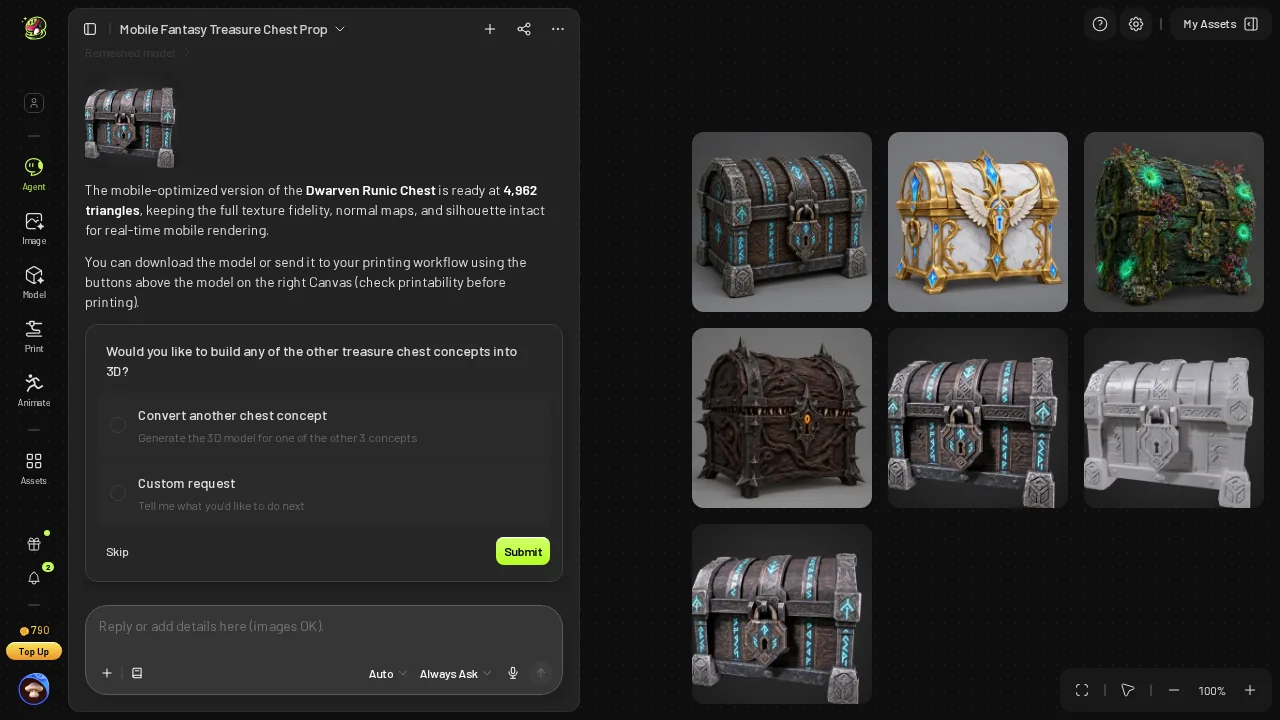 Meshy message 3 reply: "ready at 4,962 triangles, keeping … normal maps … intact".
The Meshy viewer agreed on the mesh.
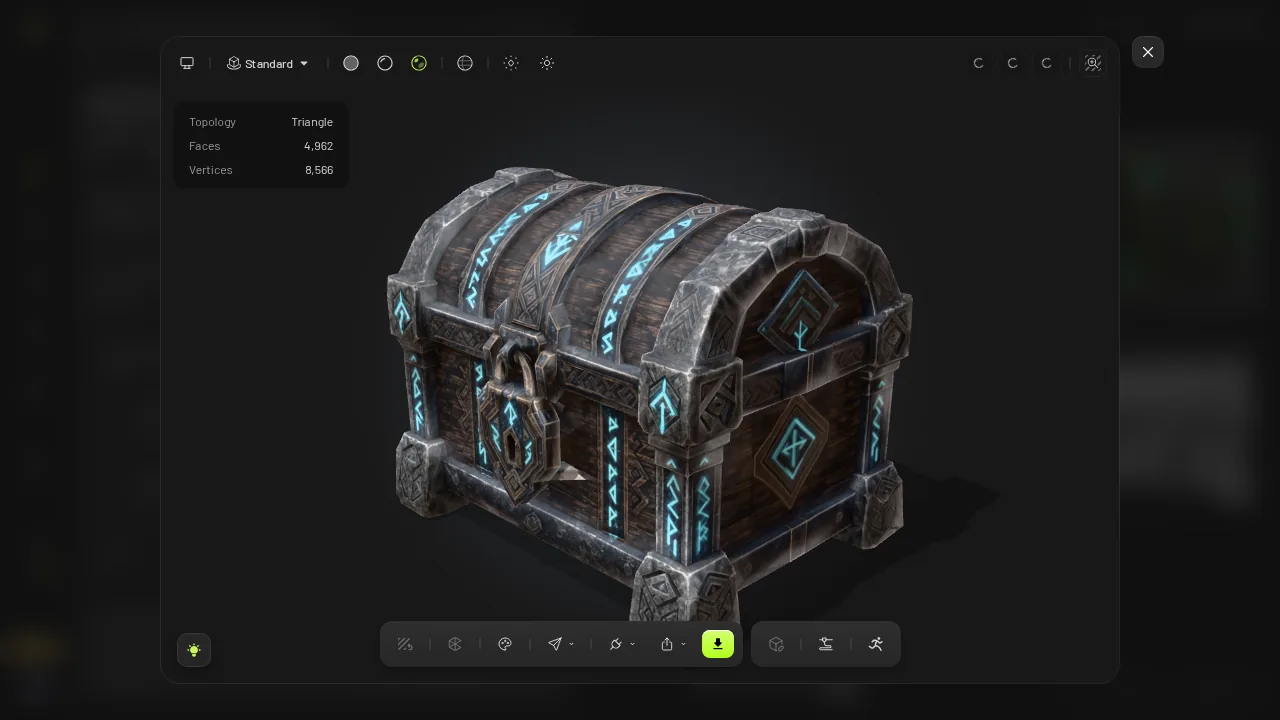 Meshy's viewer on the mobile version: Faces 4,962.
Then I downloaded the file. To get it I opened the viewer, clicked the download icon, picked a format and clicked Download. The GLB was 37.0 MB. The textured model it was made from was 91.4 MB, so the mobile step removed 54.4 MB and kept 40 % of the bytes. The triangle count fell from 2,052,398 to 4,962, a 414× drop. The file did not follow the mesh down.
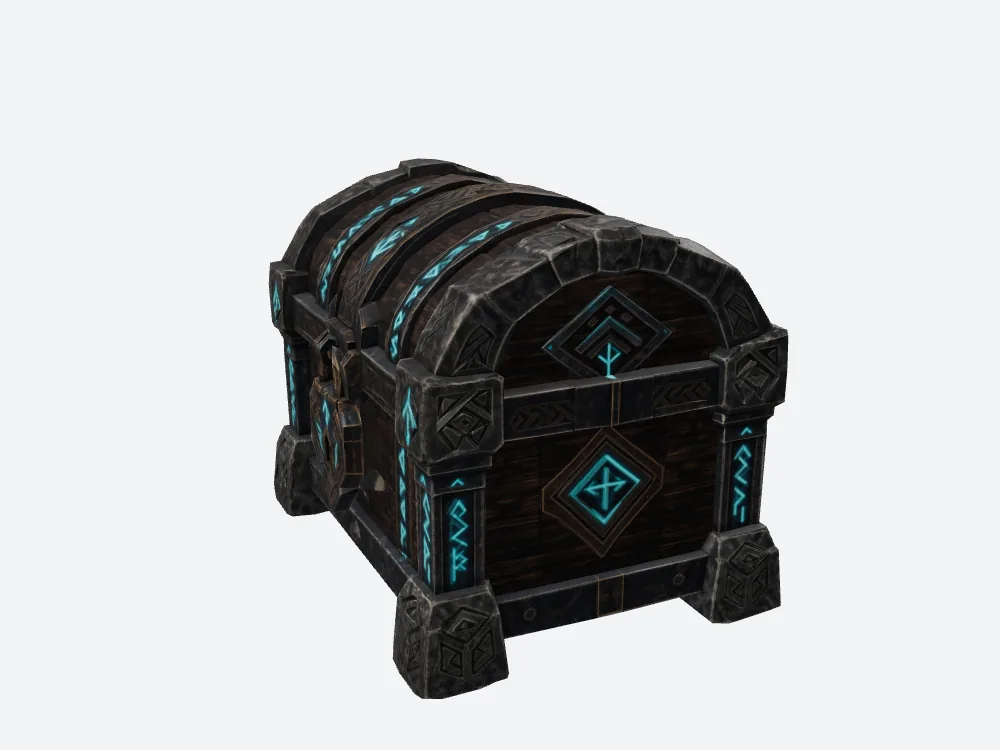 My render of Meshy's downloaded mobile GLB (37.0 MB).
"Keeping the full texture fidelity" turns out to be a literal description. Meshy kept the textures exactly as they were, and for a mobile prop that is the problem.
Two 4096 textures: 36.6 MB of the 37.0
Inside the Meshy GLB are two PNG textures, base color and metal/roughness, both 4096 × 4096. They weigh 22.5 MB and 14.2 MB, 36.6 MB together. That leaves about 0.4 MB for the 4,962-triangle mesh and everything else in the file.
- Texture share of the file — Meshy 36.6 of 37.0 MB, 99 % · Snapshapy 4.10 of 4.55 MB, 90 %
- Pixels per texture — Meshy 16,777,216 · Snapshapy 1,048,576 · 16×
- Total texture pixels — Meshy 33,554,432 · Snapshapy 3,145,728 · 10.7×
- Base color map alone — Meshy 22.5 MB · Snapshapy 1.07 MB · 21×
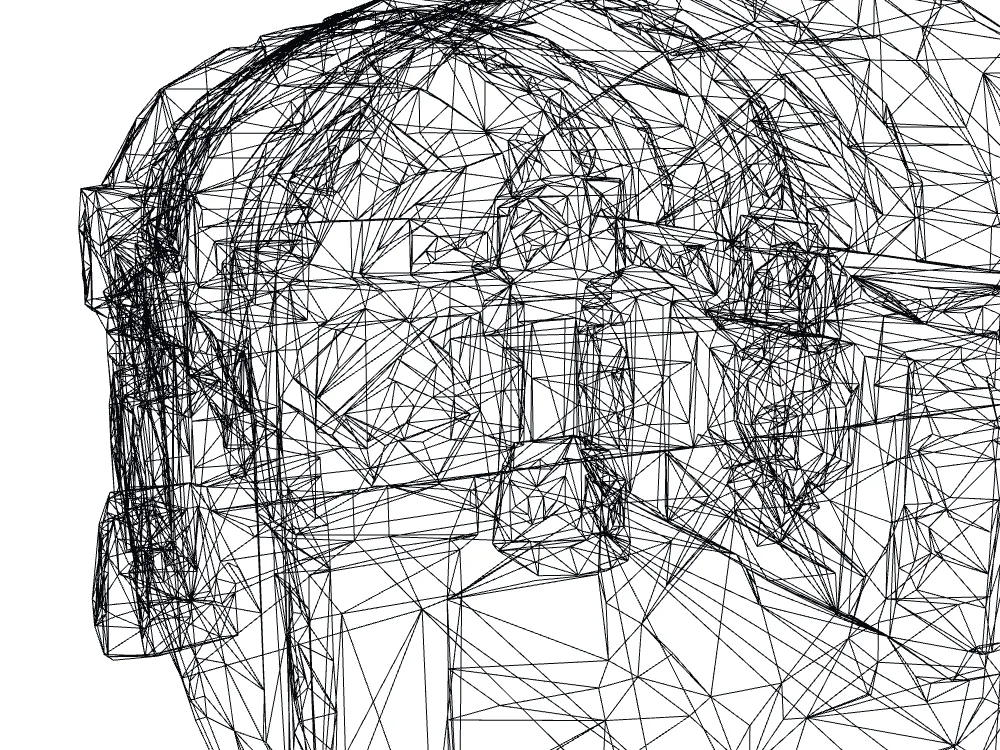 Wireframe close-up of Meshy's 4,962-triangle mobile mesh.
The wireframe shows the reduction did happen. The Meshy mesh is light. The Meshy file is not, because each of those 4,962 triangles is painted from a pair of maps sized for a hero asset. On a phone, a 4096 × 4096 texture is the part of the budget that hurts first, and Meshy left two of them in place.
This is the step I would otherwise have to redo by hand: open the GLB, resize both maps, re-export, and check the result. Meshy charged nothing for the mobile step, but it also left that job on my desk for every chest.
Snapshapy's remesh card: "shrunk to 1024 px" and an honest 8.7k
Snapshapy's reply to message 3 named the texture budget before it ran: "A mobile-ready remesh is running now (free, ~30 seconds): about 5,000 triangles with textures kept and shrunk to 1024 px. UV-aware decimation can stop short of a low target on seam-heavy models, so I'll report the real triangle count when it lands." The job finished in 12.1 s.
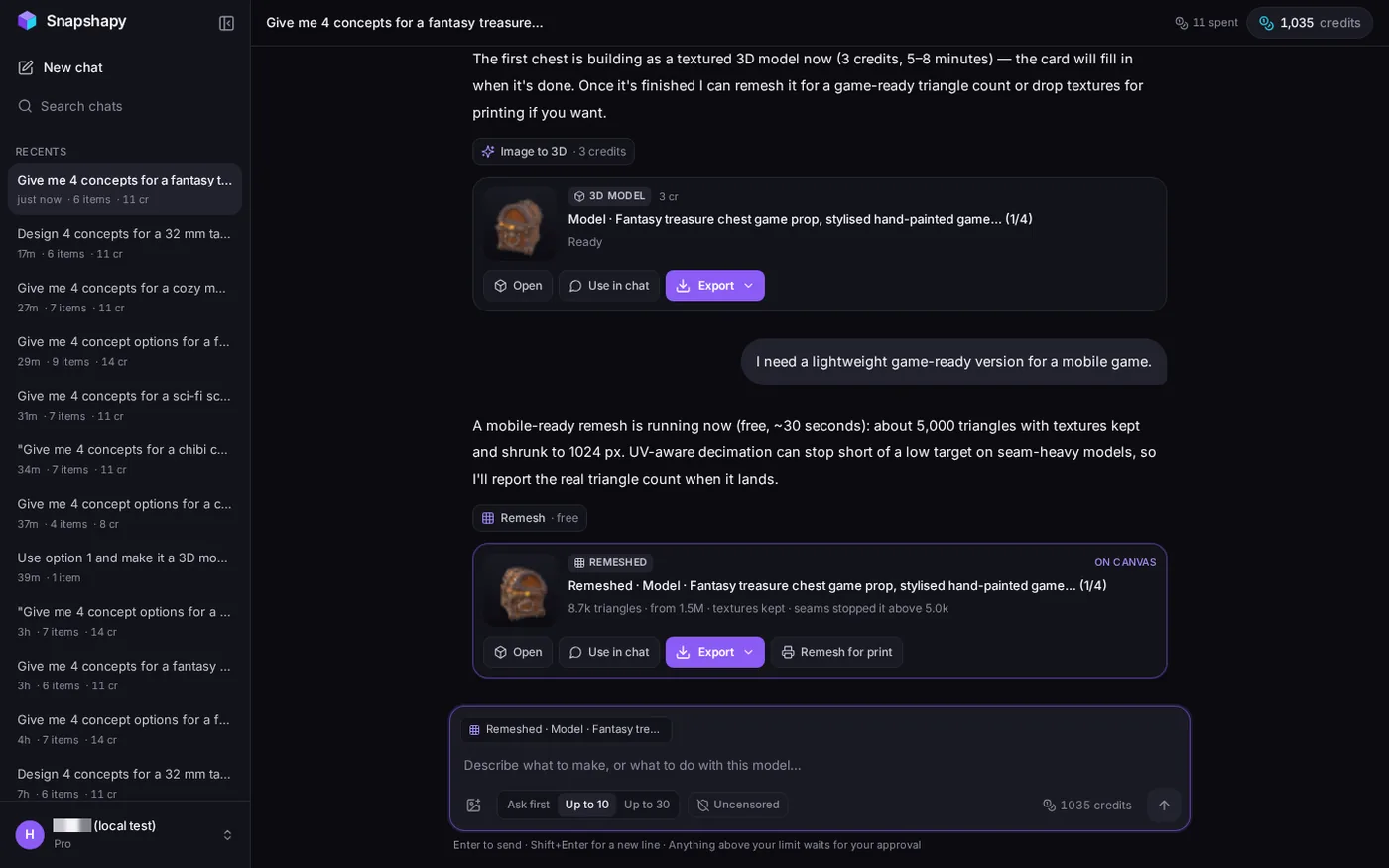 Snapshapy message 3: "about 5,000 triangles … shrunk to 1024 px"; card "8.7k triangles · seams stopped it above 5.0k".
The card read "8.7k triangles · from 1.5M · textures kept · seams stopped it above 5.0k". It reported the miss instead of hiding it.
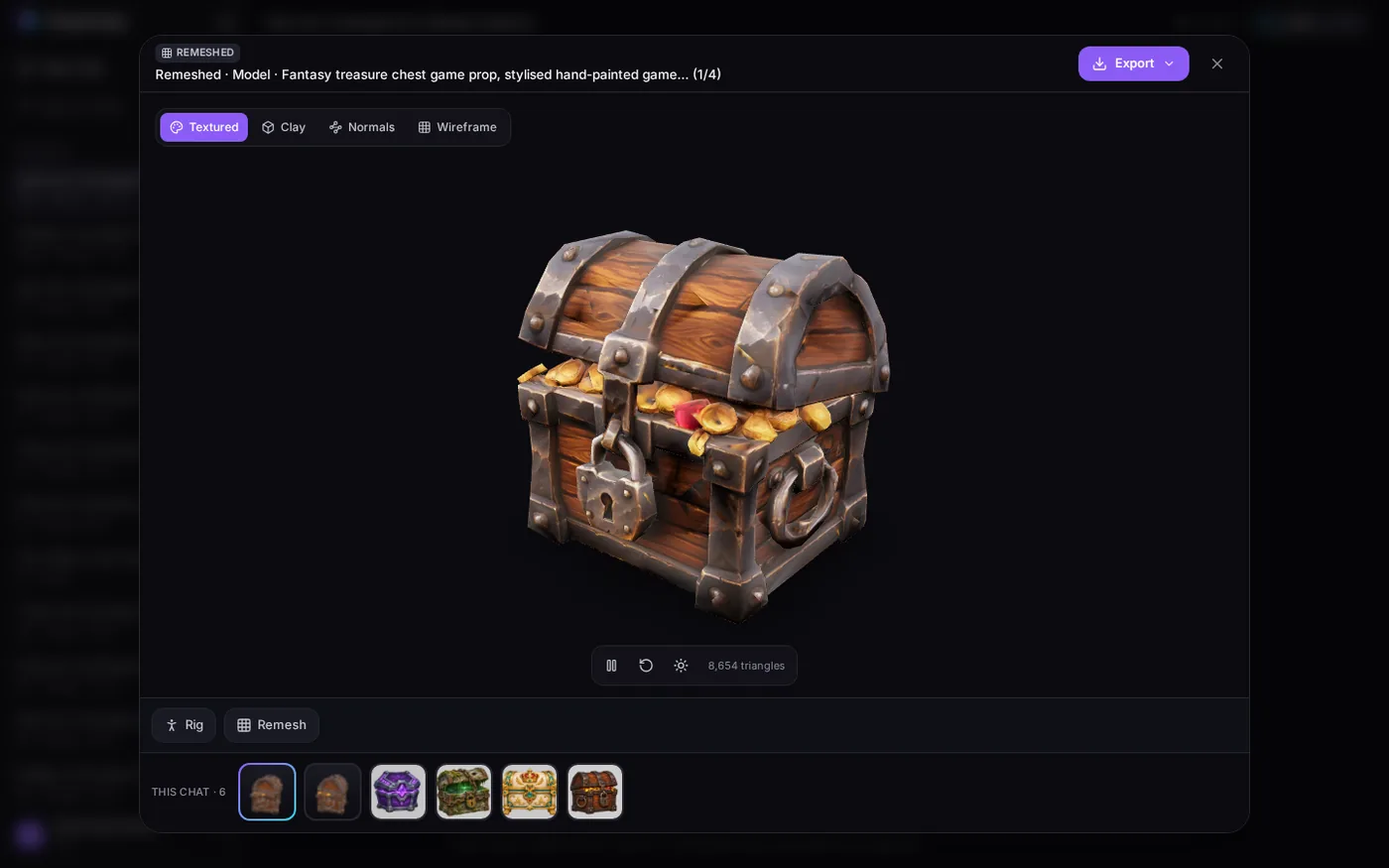 Snapshapy's viewer on the mobile version: 8,654 triangles.
Meshy's mobile mesh has fewer triangles, 4,962 against 8,654, and Snapshapy missed its own 5,000 target by 1.73×.
The textures are where the two files part ways. Snapshapy's GLB carries three 1024 × 1024 PNGs: base color 1.07 MB, normal 2.43 MB, metal/roughness 0.60 MB, 4.10 MB in all. Its normal map alone is 2.43 MB; Meshy's file, at 37.0 MB, has no normal map, although its reply said normal maps were kept and the 91.4 MB Meshy original had one.
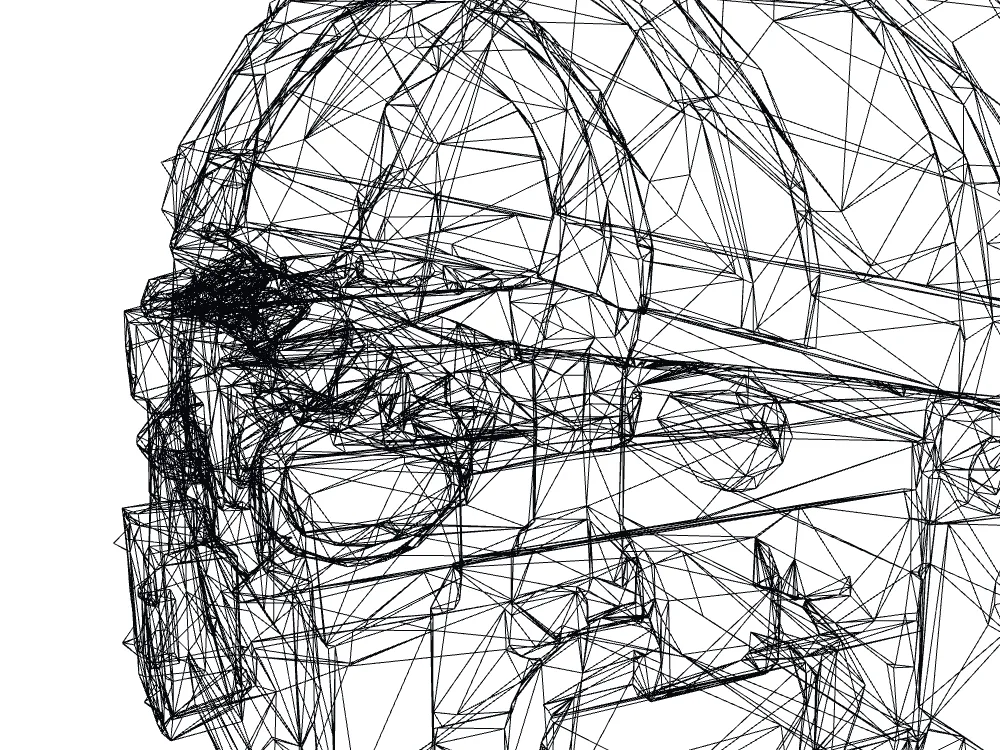 Wireframe close-up of Snapshapy's 8,654-triangle mobile mesh.
- Mobile GLB size — Meshy 37.0 MB · Snapshapy 4.55 MB · 8.1×
- Mobile textures — Meshy 2 × 4096 × 4096 · Snapshapy 3 × 1024 × 1024
- Normal map in the mobile file — Meshy none · Snapshapy yes, 1024 × 1024
24.7 seconds against 3.0 on a 12 Mbps line
A 12 Mbps connection moves 1.5 MB per second. The Meshy chest takes ≈24.7 s to arrive; the Snapshapy chest takes ≈3.0 s. For a game that streams props after install, that is the gap a player waits through every time a chest loads for the first time.
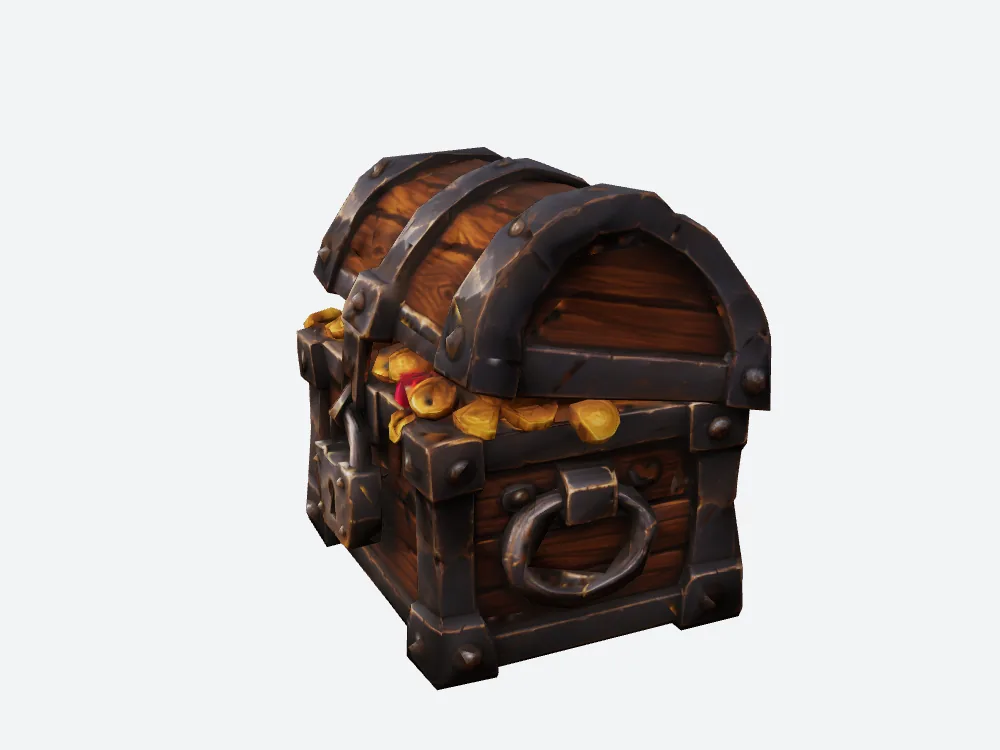 My render of Snapshapy's exported mobile GLB (4.55 MB, three 1024 textures).
Getting the file onto my disk was two clicks on Snapshapy, Export → GLB, against four steps in the Meshy viewer. Snapshapy's in-browser GLB export of the mobile file took 52.4 s.
- Download, one chest on 12 Mbps — Meshy ≈24.7 s · Snapshapy ≈3.0 s
- Steps to get the mobile file — Meshy 4 (viewer, download icon, format, Download) · Snapshapy 2 (Export, GLB)
- Bytes outside the textures — Meshy about 0.4 MB · Snapshapy about 0.45 MB
That last line matters. Strip the textures and the two files are close in size. The 32.45 MB difference between them is almost all texture, which is the part Meshy did not touch.
Ten chests in one game build: 370 MB vs 45.5 MB
One chest is a test. A mobile game ships a set. At ten chests, the Meshy files add up to 370 MB and the Snapshapy files to 45.5 MB, a 324.5 MB difference for one prop type.
- Mobile files, 10 chests — Meshy 370 MB · Snapshapy 45.5 MB · 8.1×
- Download, 10 chests on 12 Mbps — Meshy ≈247 s · Snapshapy ≈30 s
- Credits, 10 chests — Meshy 660 · Snapshapy 110 · 6.0×
- Cost, 10 chests — Meshy $13.20 · Snapshapy $5.20
- Approval clicks, 10 chests — Meshy 20 · Snapshapy 0
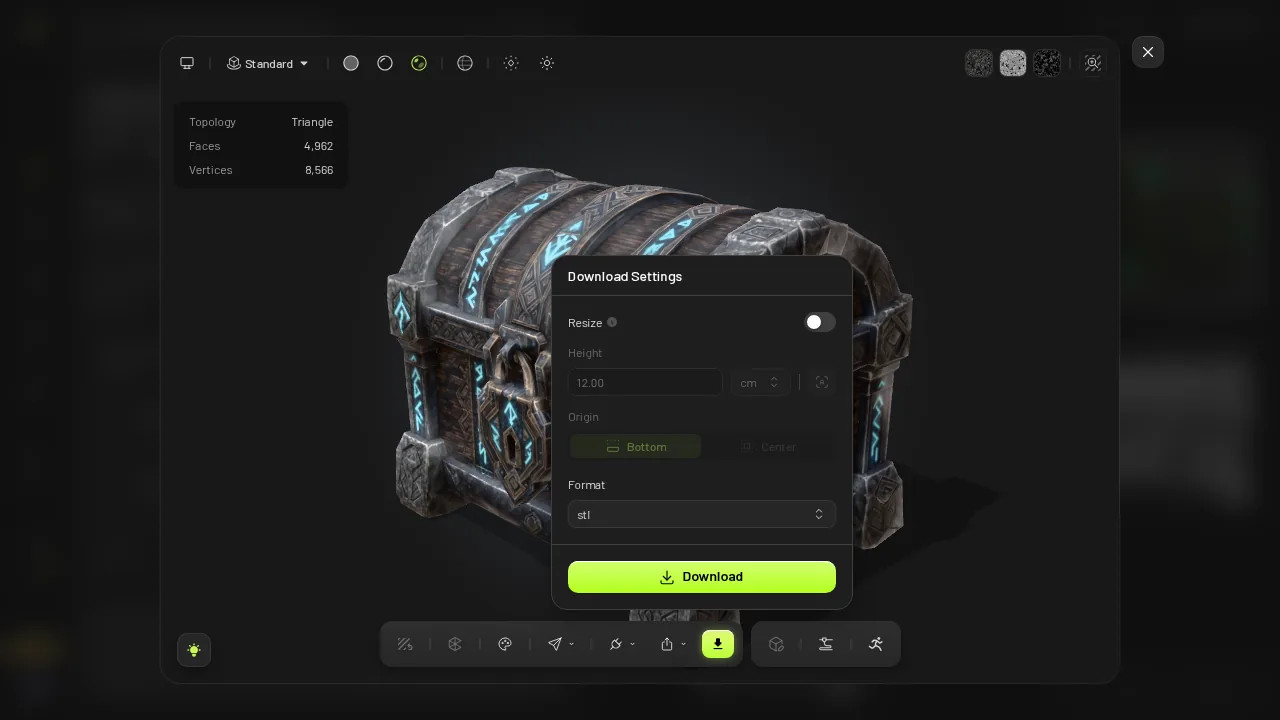 Meshy after the run: balance 790 (started at 856).
On Meshy, those 370 MB also come with twenty texture resizes I would do myself. On Snapshapy, the 45.5 MB already has 1024 maps in it. Neither number includes the rest of the game.
How the chest got made: concepts and a 3D step
The mobile file sits at the end of a chain, so here is the chain.
Message 1 on Meshy opened an approval card, "4 paid actions need your approval", 9 credits each, Est. Total Cost 36. About 310 s after I clicked "Approve 4 selected", four concepts arrived: Dwarven Runic Chest, Paladin Arcane Chest, Deep Sea Coral Chest and Mimic Monster Chest. Meshy's four concepts were genuinely different chests and its 3D matched concept 1 closely.
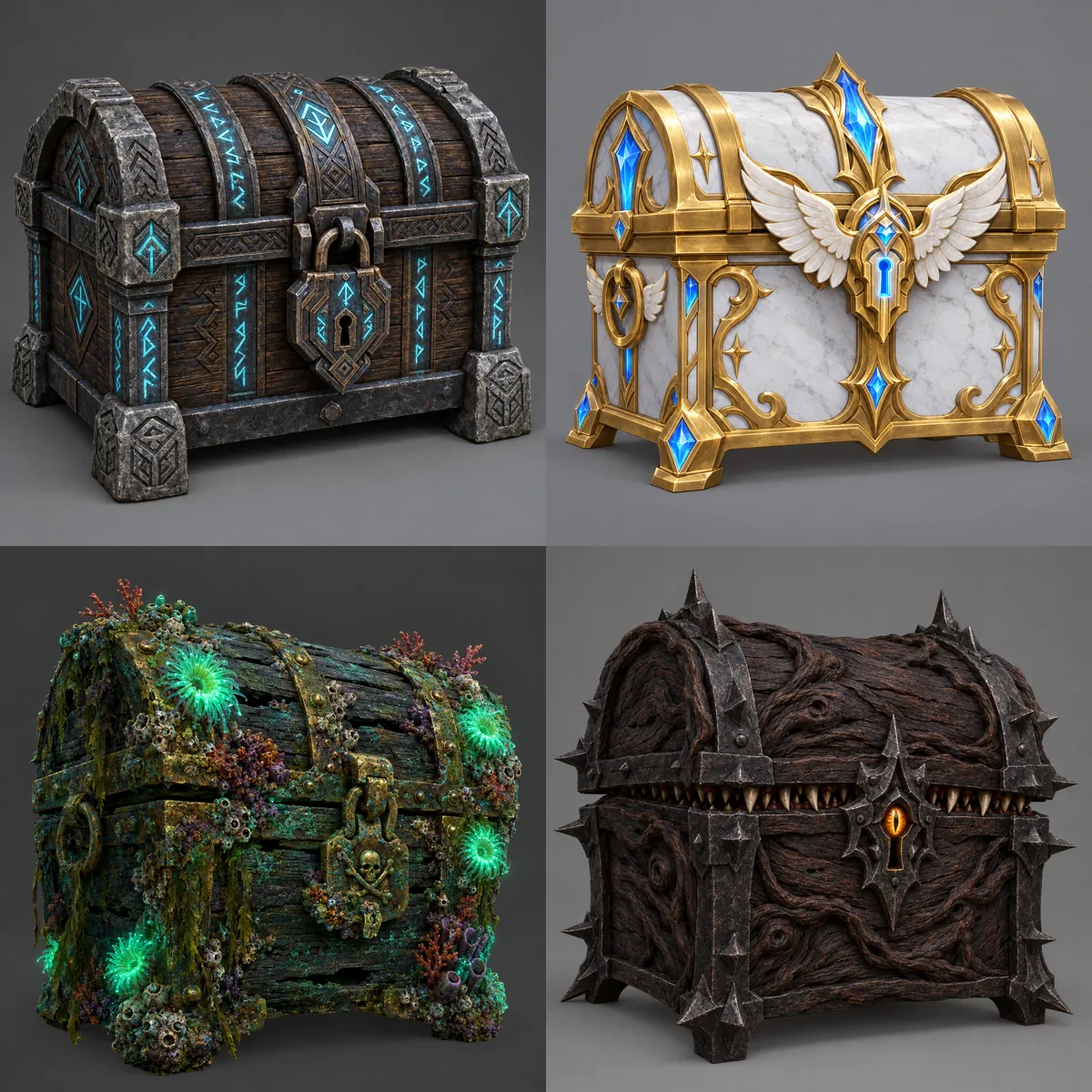 Meshy's four concepts: Dwarven Runic, Paladin Arcane, Deep Sea Coral, Mimic Monster.
Snapshapy replied within 9 s with four concepts drawing at once for 8 credits: an oak-and-iron classic, an ivory royal treasury chest, a mossy shipwreck chest and a rune-etched hex chest. All four were ready in ≈43 s, with no approval card.
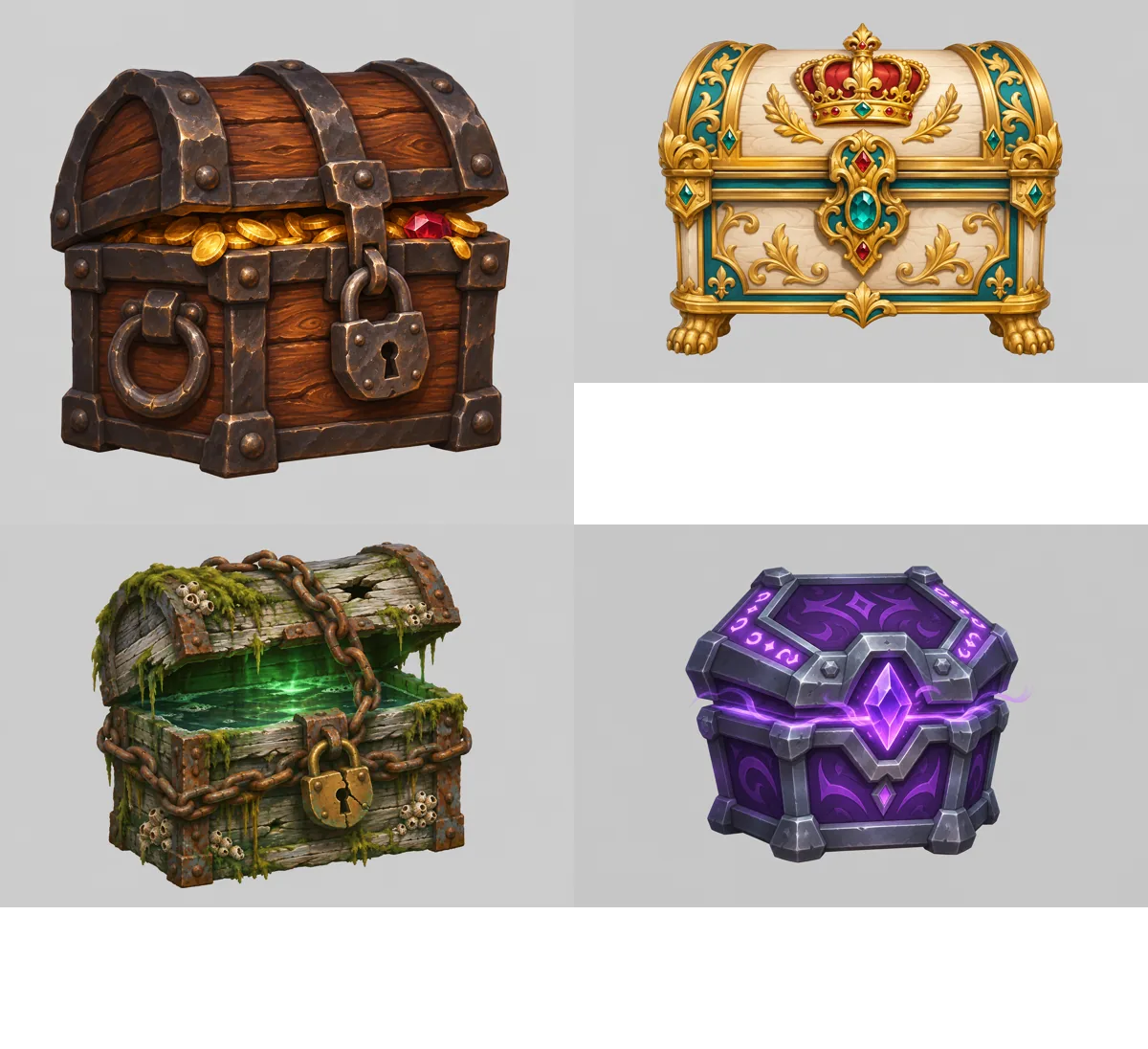 Snapshapy's four concepts: oak-and-iron with coins, ivory royal, mossy shipwreck, violet rune hex chest.
Message 2 on Meshy opened a second card, Image to 3D, Meshy 7.1, Standard, texture size 4096, Est. Cost 30. That card is where the 4096 maps were set, and the mobile step later kept them. Meshy's image-to-3D took ≈139 s against Snapshapy's 335 s.
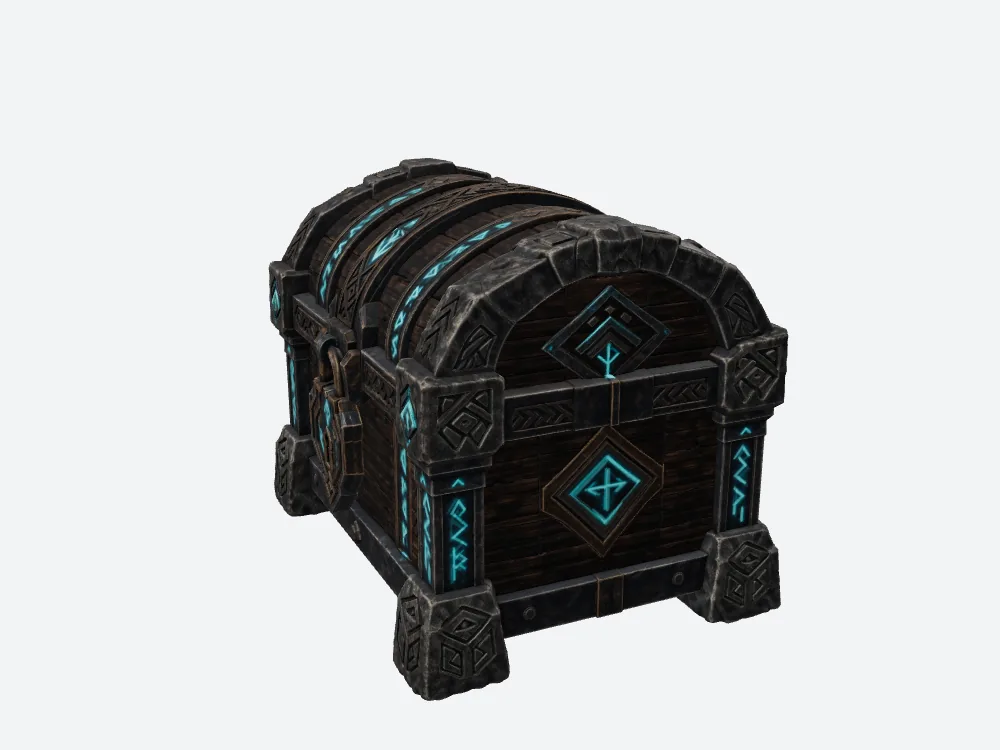 My offline render of Meshy's 3D model (2,052,398 triangles, 91.4 MB).
Snapshapy's model, for 3 credits and no approval, was one oak-and-iron chest with coins.
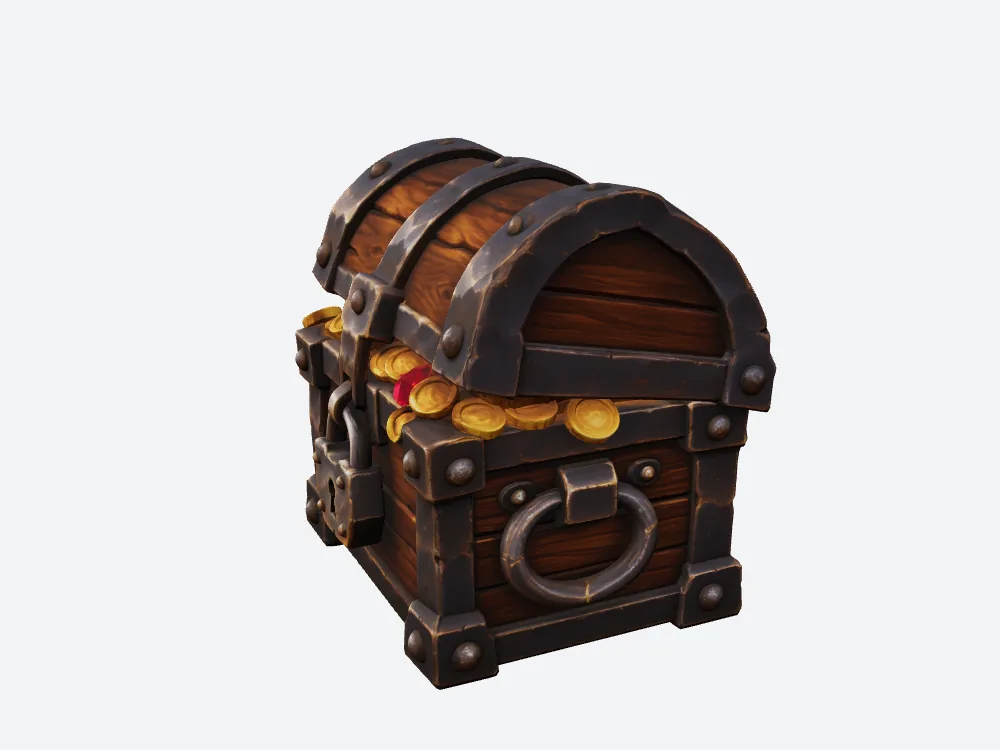 My offline render of Snapshapy's 3D model (1,499,758 triangles, 87.6 MB): one chest, matching concept 1.
Across all three messages, total job time was ≈566 s on Meshy and ≈390 s on Snapshapy, 176 s apart.
Side notes: 66 vs 11 credits, two Approve clicks
The bill and the clicks belong to the other two articles in this series, so here they are in brief. Meshy's balance went 856 → 820 → 790 → 790: 36 credits for concepts, 30 for the 3D model, 0 for the mobile version, 66 in all, $1.32 on Pro. Snapshapy's went 1,046 → 1,038 → 1,035 → 1,035 with the header reading "11 spent", $0.52 on Starter. On a ~$20 plan that is 15 chests a month on Meshy against 36 on Snapshapy Starter.
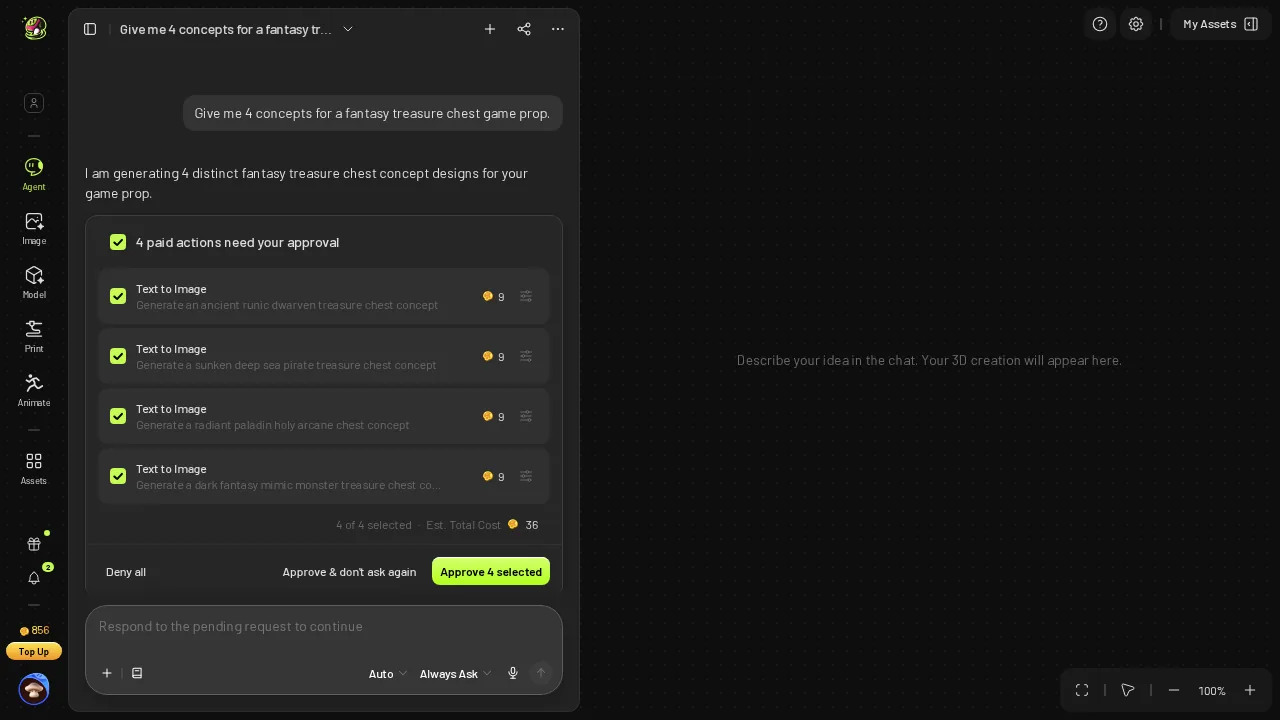 Meshy message 1: "4 paid actions need your approval", 9 credits each, Est. Total Cost 36.
Meshy's default "Always Ask" setting stopped the run twice. Snapshapy's composer has a default spend limit of "Up to 10" credits, with anything above it waiting for approval, and nothing in this run crossed it, so all three messages ran straight through.
Final verdict: Meshy 3D Agent scores 53/100 for a mobile game prop
The Meshy chest was asked to be lightweight for a mobile game and came back as a 4,962-triangle mesh wrapped in a 37.0 MB file. Two 4096 × 4096 textures make up 99 % of it, the normal map its reply promised is not in it, and on a 12 Mbps line it takes ≈24.7 s to download. Over ten chests that is 370 MB, 660 credits, 20 Approve clicks and twenty texture resizes left to me.
Meshy did the mesh half of "lightweight" well and produced four strong concepts. It did not do the file half, and on a phone the file is what ships. For this job I score Meshy 3D Agent 53/100.
Which one I would use for this job
For a mobile game prop, I would use Snapshapy: a 4.55 MB chest with three 1024 × 1024 textures, normal map included, for 11 credits and no approvals. The texture budget is done before the file reaches my disk. snapshapy.com