Readers looking for a glb viewer can use this test to see what Meshy 3D Agent and Snapshapy produce from the same baby-dragon brief, including concept output, workflow steps, and whether the final GLB is suitable for an engine.
I asked Meshy 3D Agent for 4 concept options for a cute baby dragon for an indie game. Meshy answered with four names on a choice card, Sprout Dragon, Ember Wyrmling, Celestial Drake and Tidepool Sea Dragon, plus a Custom slot, and drew only the one I picked. Snapshapy's 3D Agent drew four dragons in 38–47 seconds, carried option 1 to a rigged 20,840-triangle GLB of 5.56 MB, and never asked me to click anything. Meshy's road from idea to file took 4 clicks and ended at a 50.9 MB static model.
This review follows one creature from idea to engine: the concept round, the clicks between messages, and the file I would drop into a game. I tested Meshy 3D Agent at meshy.ai on a paid Meshy Pro account and Snapshapy's 3D Agent at snapshapy.com on a paid account, both in their chat agent modes.
I ran Meshy on 2026-11-03. I ran Snapshapy on 2026-11-04, a day later, after Snapshapy shipped an update. Both agents got the same three messages, typed verbatim:
- "Give me 4 concept options for a cute baby dragon character for an indie game."
- "Go with option 1 and turn it into a textured 3D model."
- "Rig it and make it idle and fly."
Whenever a choice card appeared, I picked the first option. Every number below comes from a job card, a stopwatch, a balance or a file I opened myself.
My verdict in 60 seconds — Meshy 3D Agent 61/100, Snapshapy 89/100
Meshy 3D Agent turns a request for four concepts into a menu and one drawing, asks for four clicks before 3D, and ends without a file an engine can animate.
- Concepts drawn from a 4-option request — Meshy 3/10 · Snapshapy 9/10 — 1 image vs 4, each showing exactly one dragon
- Cost of a full four-concept round — Meshy 3/10 · Snapshapy 9/10 — ≈36 credits at 9 per image vs 8 credits paid, 4.5×
- Extra clicks beyond the 3 messages — Meshy 4/10 · Snapshapy 10/10 — choice select, Submit and 2 Approves vs 0
- Game budget raised by the agent — Meshy 3/10 · Snapshapy 9/10 — texture size 4096 on the Meshy card vs an unprompted ~20,000-triangle, 1024 px plan
- Animated file for the engine — Meshy 2/10 · Snapshapy 9/10 — none vs one GLB with 3 clips
- Weight of the file I would ship — Meshy 3/10 · Snapshapy 9/10 — 50.9 MB static vs 5.56 MB animated, about a tenth
- Credits for the whole run — Meshy 4/10 · Snapshapy 9/10 — 39 vs 14, 2.8×
- Price shown before a job runs — Meshy 8/10 · Snapshapy 8/10 — Est. Cost 9 and 30 on approval cards vs a credit line in every reply under an "Up to 10" limit
The concrete problems on the Meshy side:
- The four options came back as text lines on a choice card; only the Sprout Dragon I picked was drawn.
- Drawing all four Meshy directions at 9 credits each would cost ≈36 credits, more than the 30-credit 3D step.
- Four Meshy clicks came before the 3D model: choice select, Submit and two Approves.
- The only file I took away from Meshy was a 50.9 MB static GLB of 1,076,848 triangles.
For an animated indie game creature, I would use Snapshapy.
Sprout, Ember, Celestial, Tidepool: four dragons written, none drawn
My first message asked for 4 concept options. Meshy 3D Agent replied with a choice card headed "Which baby dragon concept direction would you like to explore…" and four text lines under it: Sprout Dragon, Ember Wyrmling, Celestial Drake and Tidepool Sea Dragon, plus Custom. No image appeared in the Meshy chat.
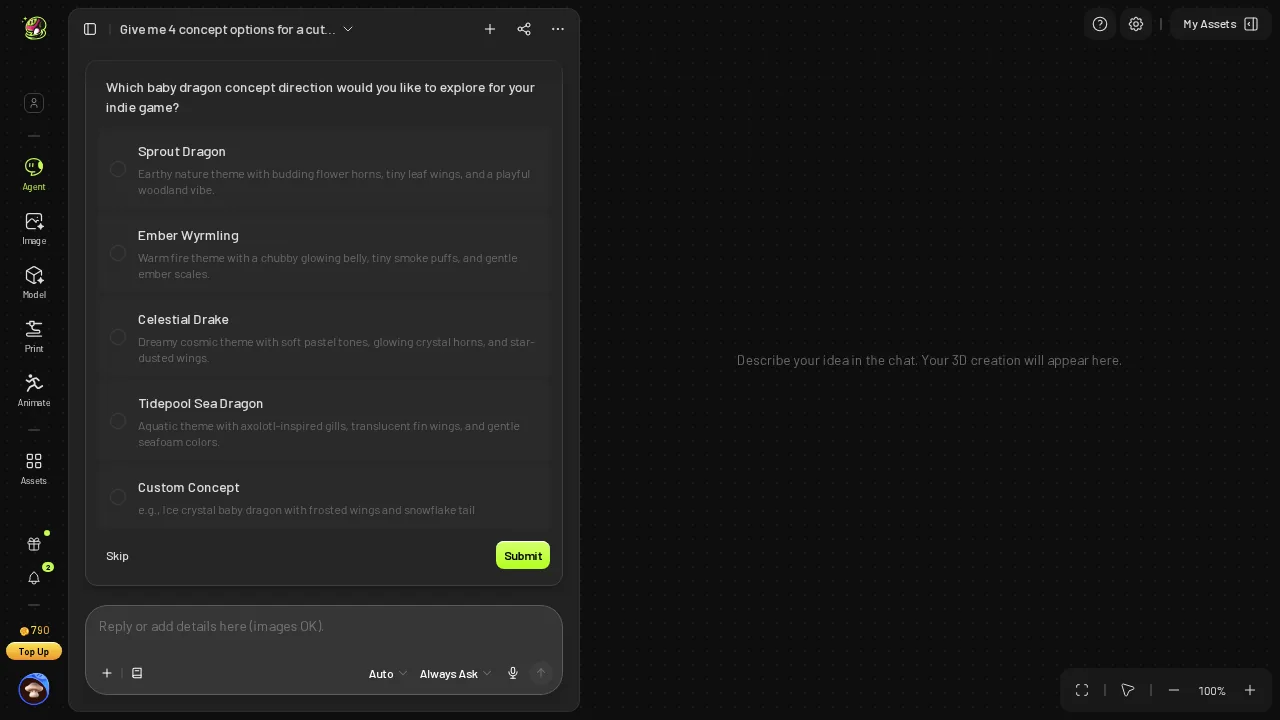 Meshy's reply to "4 concept options": four dragon directions as text, plus Custom; nothing drawn.
As a brainstorm, the names are fine, but they are not concepts an artist can lay side by side. To learn whether Ember Wyrmling had a stronger silhouette than Sprout Dragon, I would have had to commit to one direction first, which is the decision the four options were supposed to help me make.
Picking on Meshy takes two clicks: select option 1, then Submit. Those were clicks 1 and 2 of 4, with nothing drawn yet.
- Images after message 1 — Meshy 0 · Snapshapy 4
- Clicks before any image — Meshy 2 · Snapshapy 0
One Sprout Dragon behind an Est. Cost 9 card
After Submit, Meshy put up an approval card: Text to Image, Est. Cost 9. One Approve later, which was click 3, Meshy drew one image in about 25 seconds.
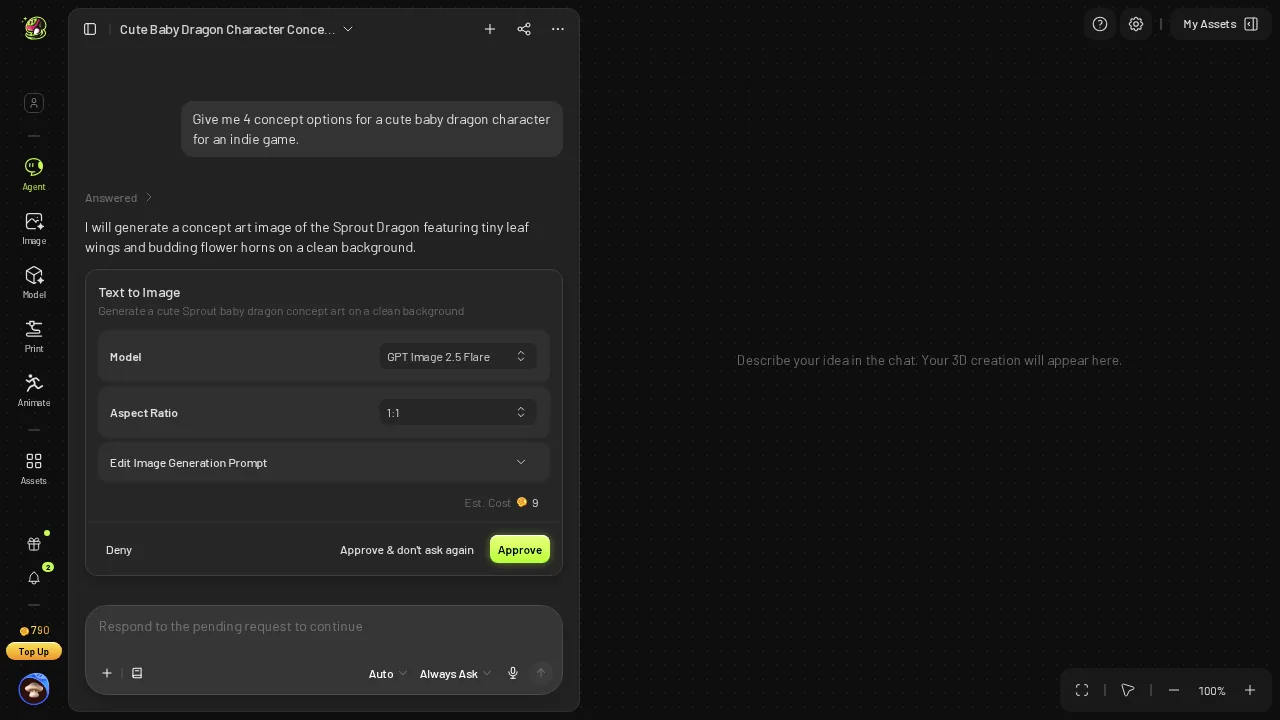 After picking option 1: a Text to Image approval card, Est. Cost 9.
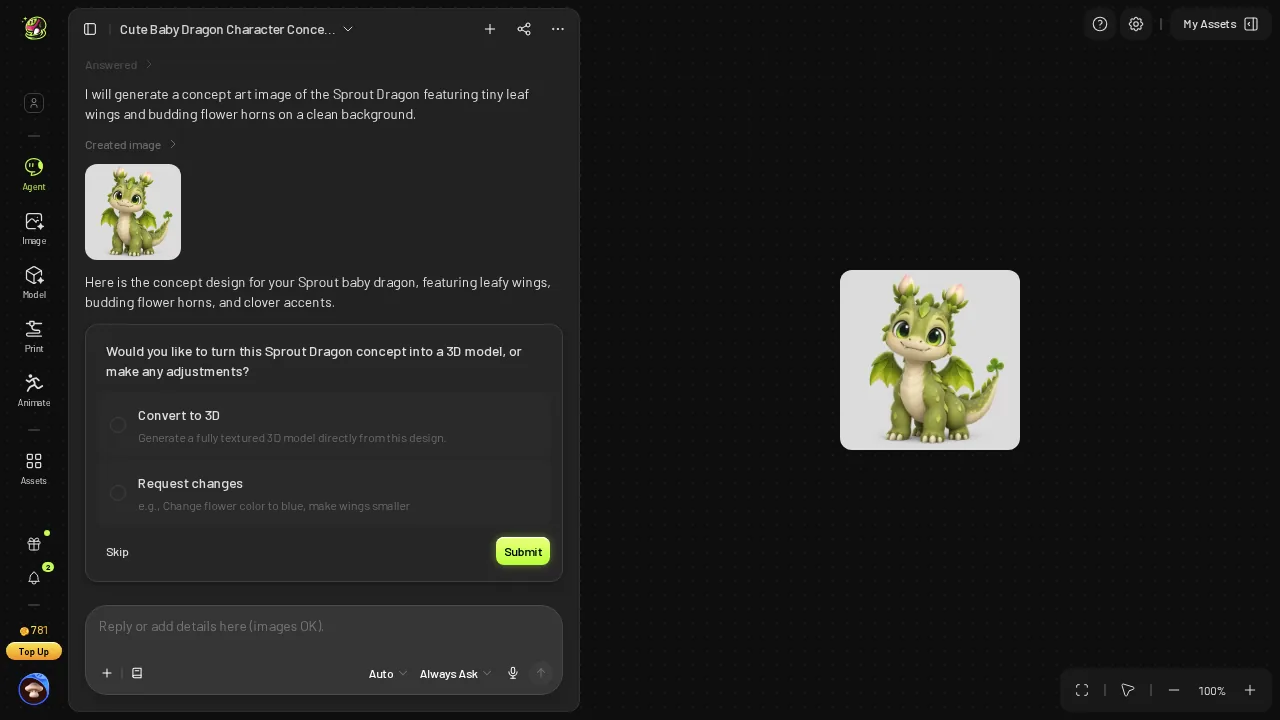 The single Sprout Dragon concept and the "Convert to 3D / Request changes" card.
The drawing arrived with a third card, "Convert to 3D / Request changes", which I answered with message 2. Here is the one Meshy concept at full size.
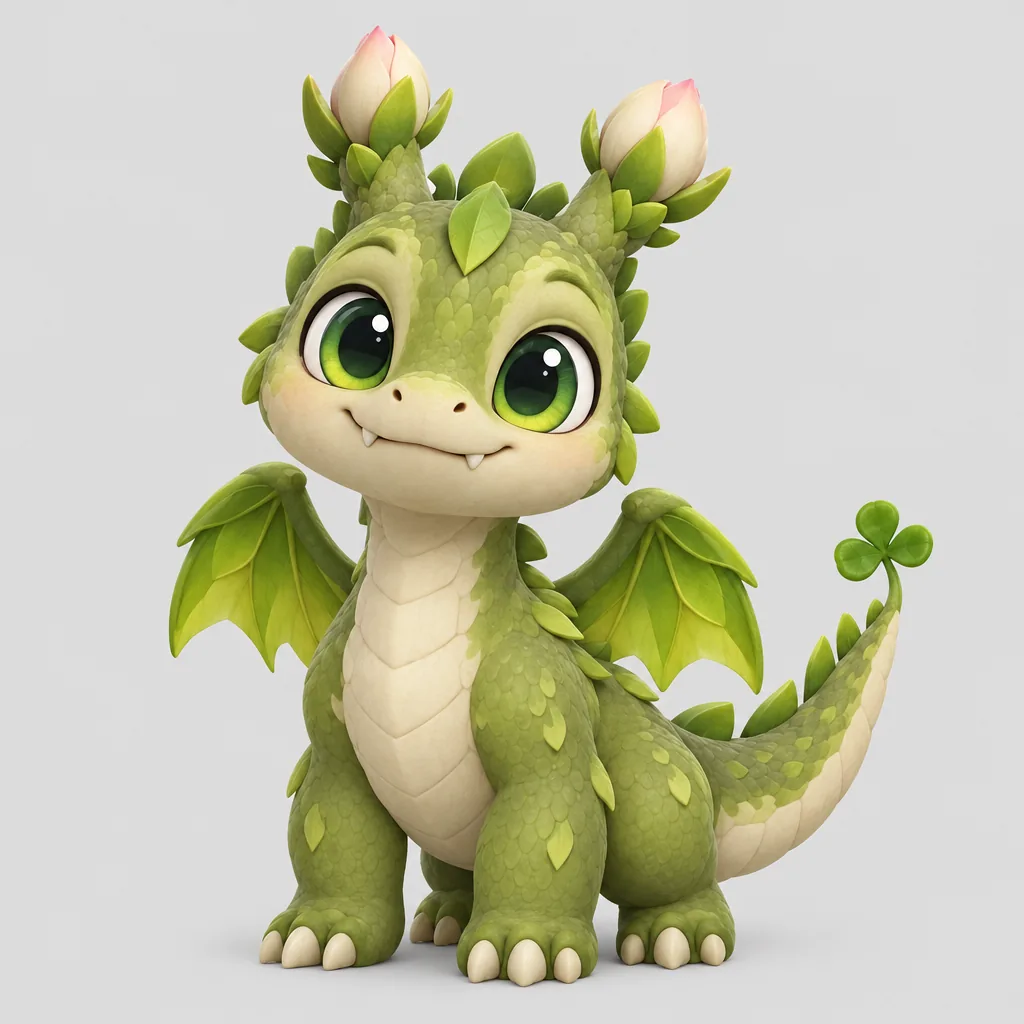 Meshy's one concept image, full size.
Meshy did not refuse the other three directions; a one-pick card simply produces one drawing. The four-up comparison I asked for prices out like this:
- One Meshy concept — 9 credits · $0.18 on Meshy Pro ($20 for 1,000 credits)
- All four Meshy directions drawn — ≈36 credits · ≈$0.72 · more than the 30-credit Meshy 3D step
- Four Snapshapy concepts — 8 credits (2 each) · ≈36 vs 8 is 4.5×
On Meshy, the concept round I asked for would be the most expensive step of the whole dragon.
Four cards on Snapshapy, one dragon on each
Snapshapy's reply came within seconds and named all four: "a chubby mint-green one, a slender blue pouncer, a fuzzy peach sleepyhead, and a charcoal one with glowing amber cracks and an eggshell still on its head." It added that they were all in a neutral a-pose "so whichever you pick can go straight to rigging", then "8 credits spent".
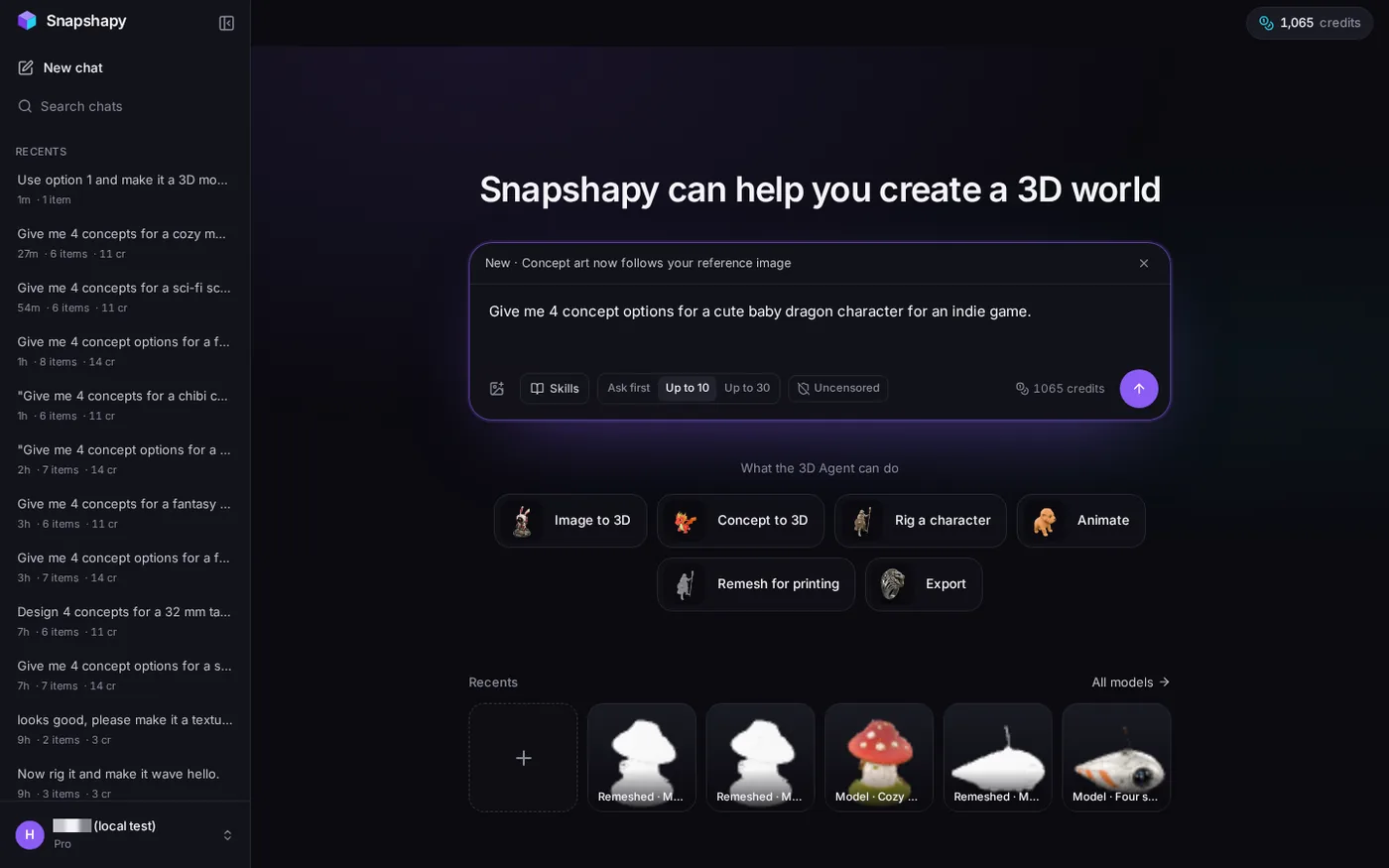 2026-11-04: message 1 typed into a new Snapshapy chat.
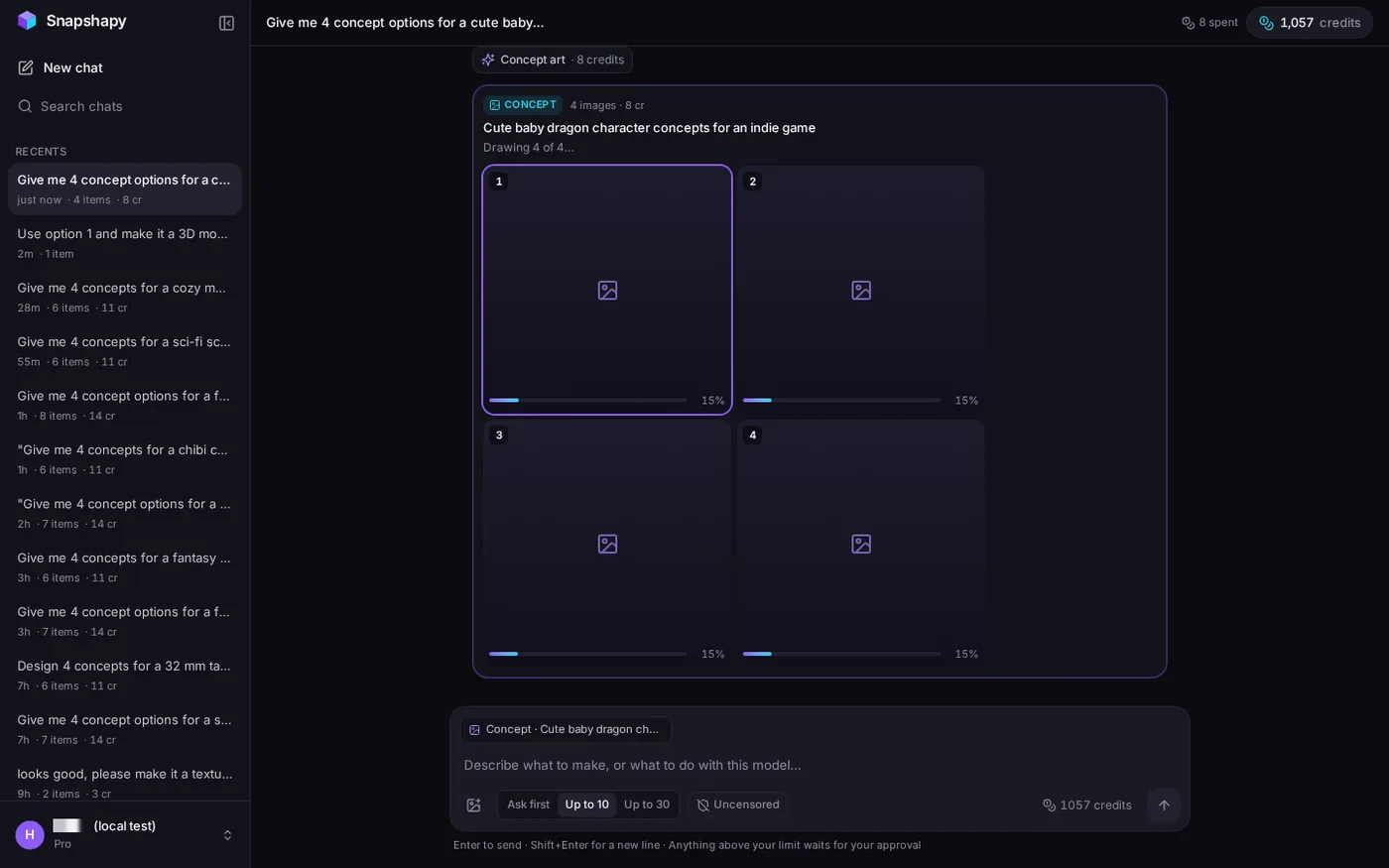 Snapshapy drawing four concepts in parallel, 8 credits.
Four cards at 2 credits each rendered in parallel and finished in 38–47 seconds. Each image shows exactly one dragon, and the four designs are clearly different from each other: mint-green, cobalt, peach and charcoal.
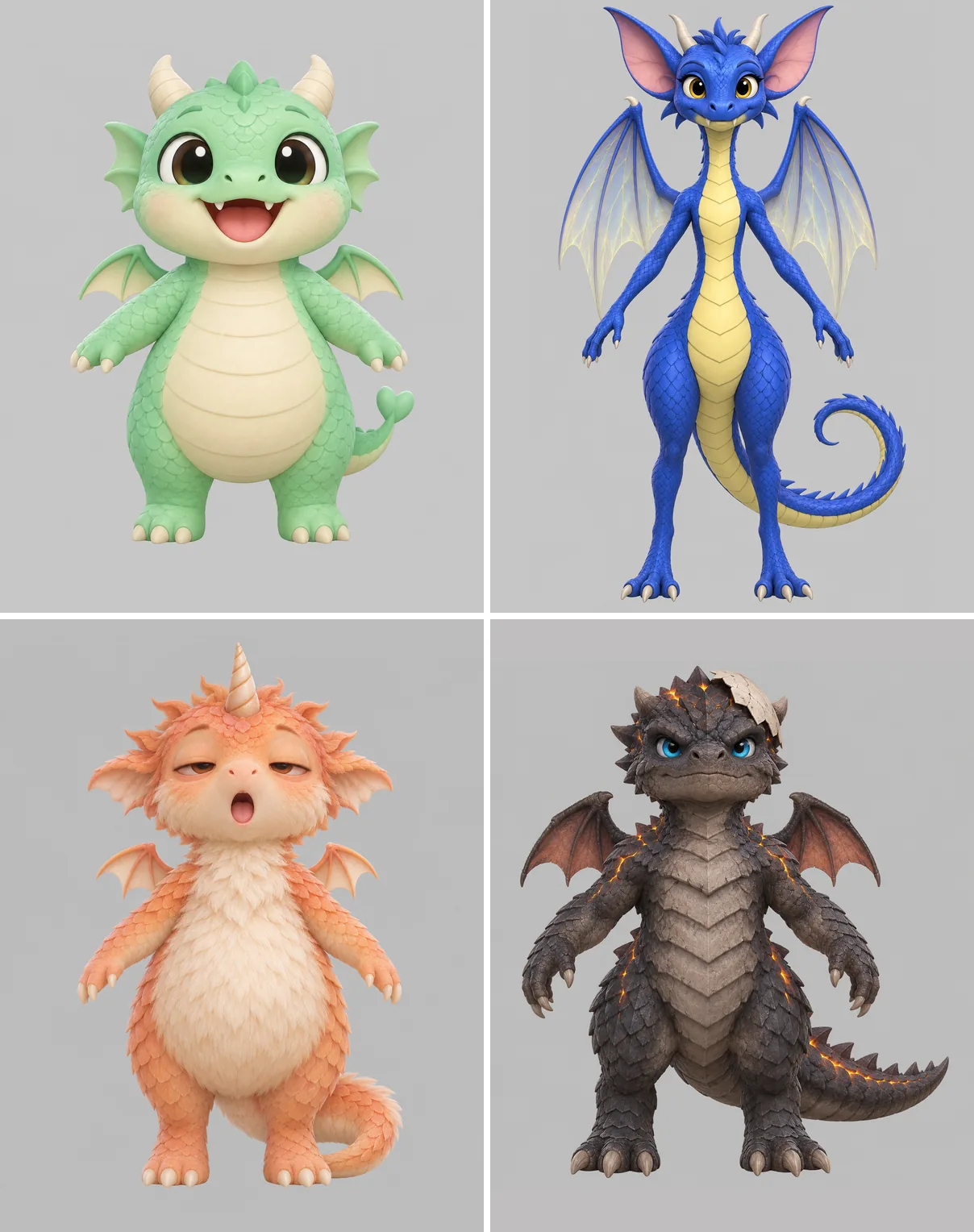 Snapshapy's four concepts in a 2×2 grid at full resolution.
Not all four read as a cute baby: number 2 is slender and adult-looking, and number 4 is fierce and armoured. The spread is still useful: four silhouettes on one screen, two ruled out at a glance. The a-pose line matters for the hand-off too: the concept was posed for the rig two messages early.
Click 4: an Image to 3D card at Est. Cost 30
Message 2 on Meshy produced another approval card: Image to 3D, Meshy 7.1, Standard, texture size 4096, Est. Cost 30. Approve was click 4.
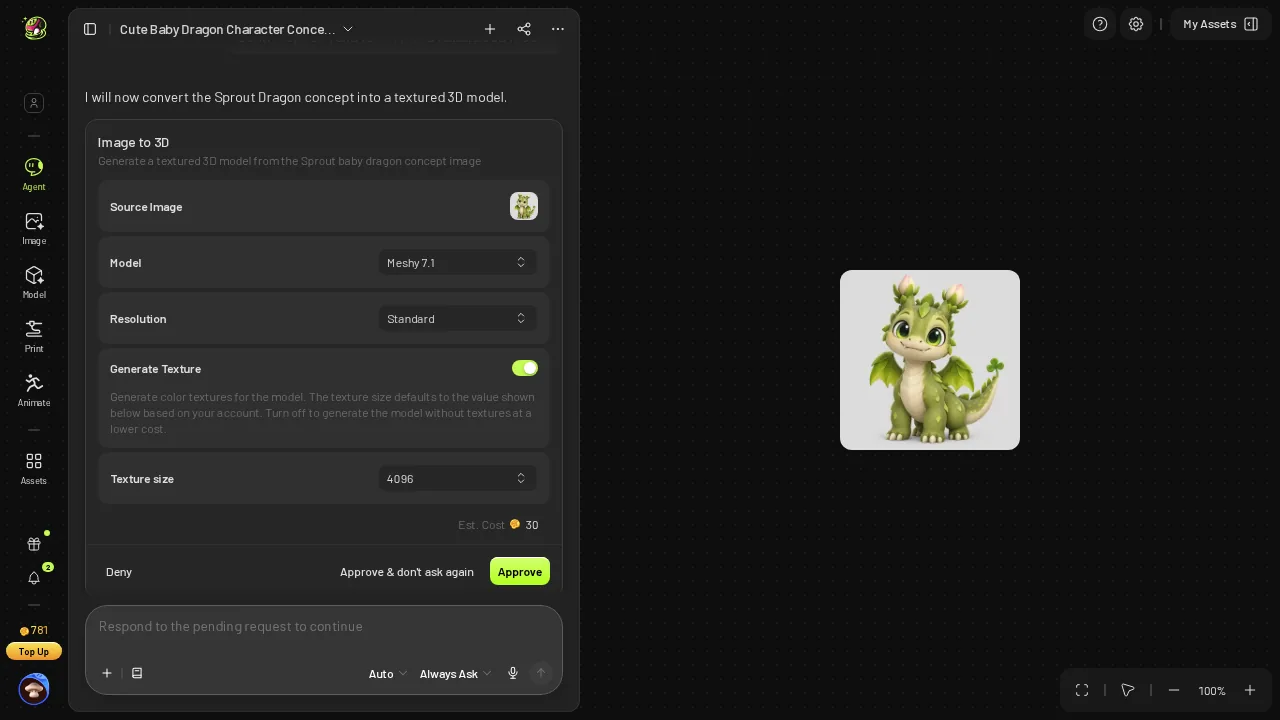 Meshy image-to-3D approval card: Meshy 7.1, Standard, texture 4096, Est. Cost 30.
The Meshy cards are honest: each prints the price before the job runs. The cost is in the count, because every step from idea to model waited for me:
- Choice card after message 1 — Meshy 2 clicks (select + Submit) · Snapshapy 0
- Concept approval — Meshy 1 click · Snapshapy 0
- 3D approval — Meshy 1 click · Snapshapy 0
- Total extra clicks — Meshy 4 · Snapshapy 0
Snapshapy showed no choice card and no approval card on any of the three messages. Its composer has a default spend limit of "Up to 10" credits, and anything above it waits for approval; every job in this run, at 8, 3 and 3 credits, stayed under it. The price still appeared as a line in each reply. For one dragon, four clicks is a small tax, but each Meshy card holds the chat until I come back to press it.
Leaf wings and a clover tail at 1,076,848 triangles
Meshy's dragon was ready after about 107 seconds, with the Meshy balance at 751.
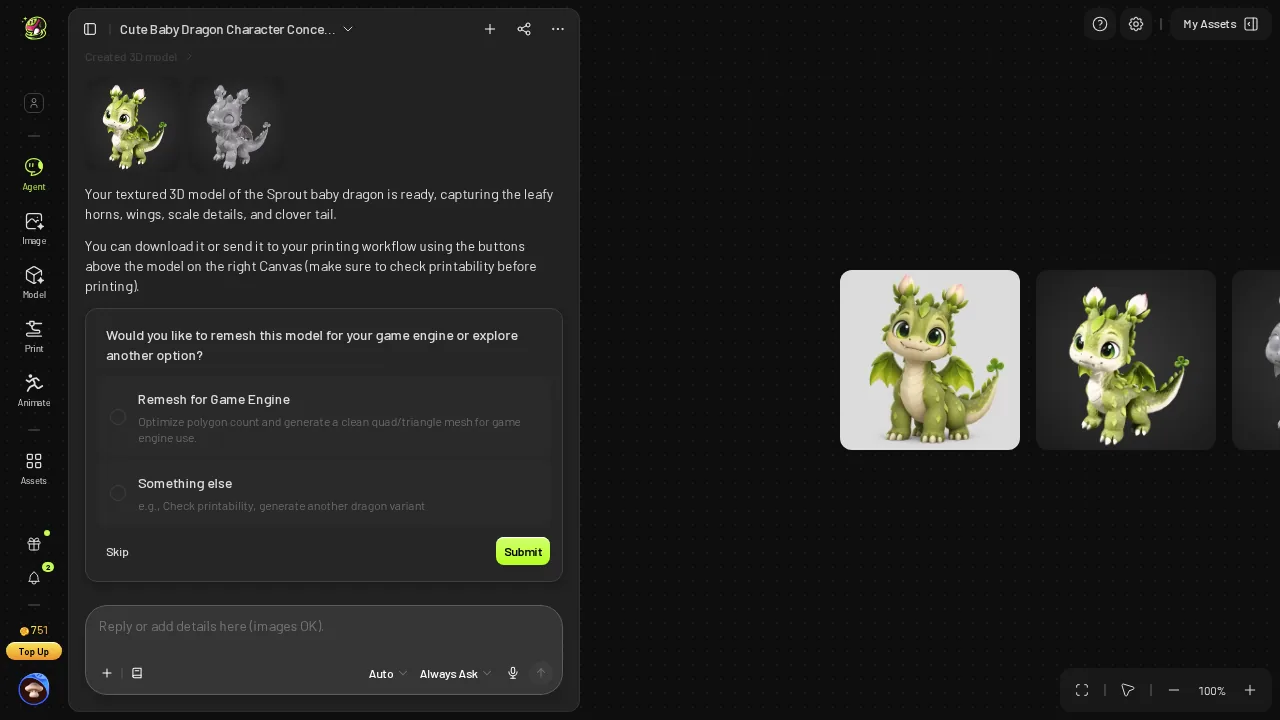 Meshy's 3D model ready after ≈107 s; balance 751.
Meshy finished image-to-3D in ≈107 s against Snapshapy's 288 s, so its two jobs took ≈132 s in all against ≈382 s for Snapshapy's three. Meshy's static model is also lighter than Snapshapy's static one, 50.9 MB against 79.7 MB, and stays very close to its concept, with leaf wings, flower-bud horns and a clover tail.
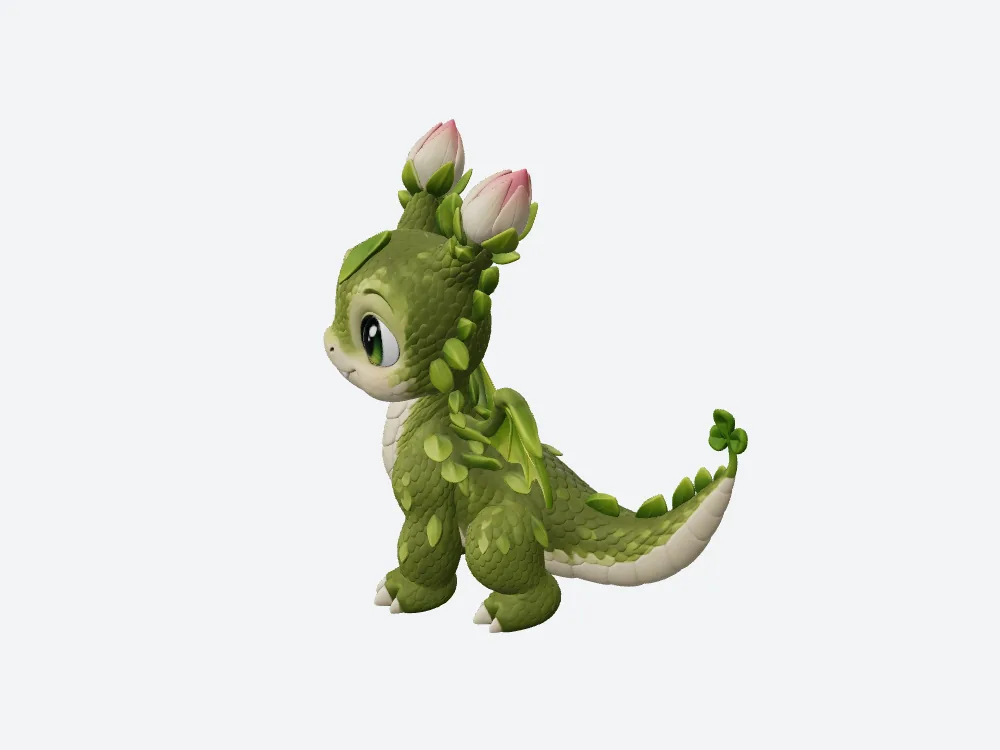 My offline render of Meshy's dragon (1,076,848 triangles, 50.9 MB).
The Meshy GLB holds 1,076,848 triangles and 3 textures from a card set to texture size 4096: a showcase asset. A creature that has to idle and fly in an indie game needs a rig and a lighter mesh, and the Meshy chat had raised neither by the end of message 2.
- Credits so far — Meshy 790 → 781 → 751, 39 spent · Snapshapy "11 spent"
"A lighter rig around 20,000 triangles", before I asked for one
Snapshapy's answer to message 2: "Option 1 is building as a textured model now — 5 to 8 minutes. 3 credits spent; when it lands I can rig it, and since it's for an indie game I'd suggest a lighter rig around 20,000 triangles with 1024 px textures so it drops straight into the engine."
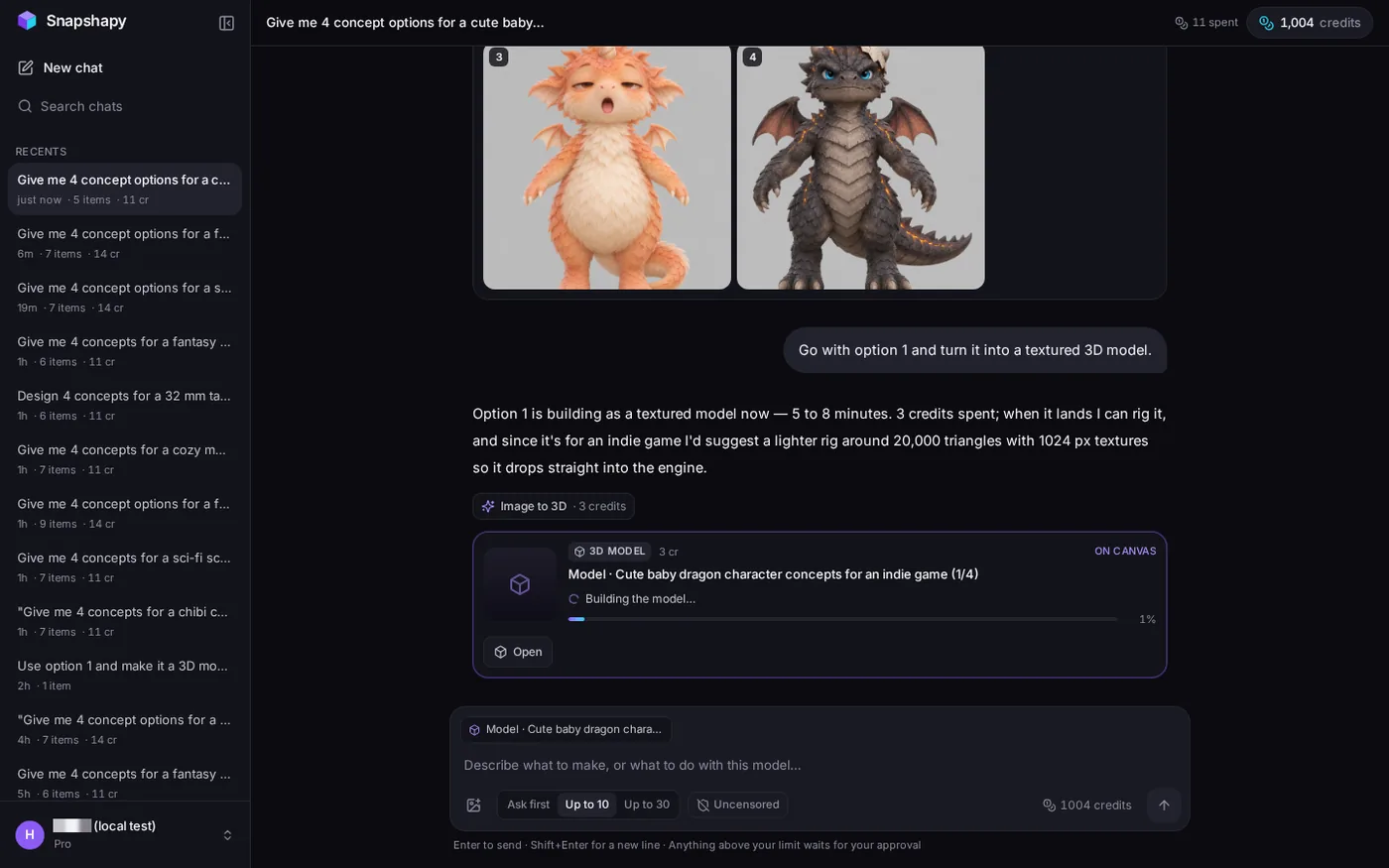 Snapshapy's reply to message 2: 3 credits, 5 to 8 minutes, suggests a ~20,000-triangle rig with 1024 px textures.
I had said "indie game" once, in message 1. Snapshapy turned that into a triangle and texture budget before I mentioned a rig, with no approval card. The model was ready in 288 seconds: the mint-green dragon from concept 1.
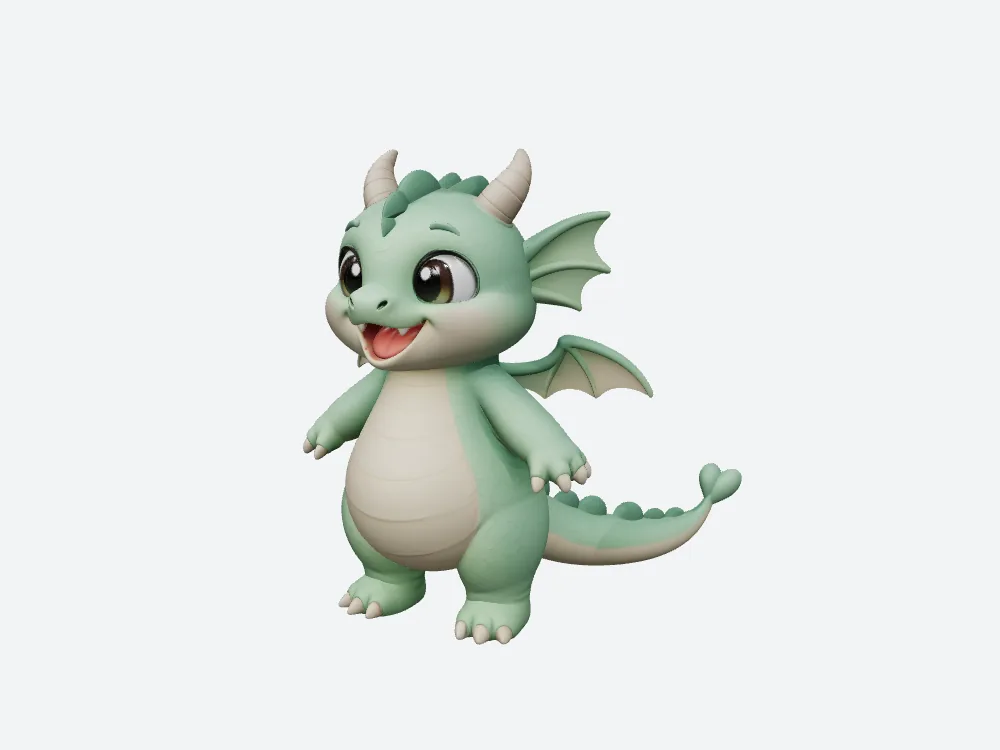 Snapshapy static dragon, front view: matches concept 1.
- Texture size — Meshy card 4096 · Snapshapy proposal 1024 px · 4× per side, 16× the pixels
- Triangle target named in the chat — Meshy none on its cards or replies · Snapshapy ~20,000, unprompted
20,840 triangles in 5.56 MB: the file the engine gets
Message 3 was "Rig it and make it idle and fly." Meshy's agent declined at 0 credits, explaining that its automatic rigging tool is built for bipedal humanoids, and pointed me to Blender.
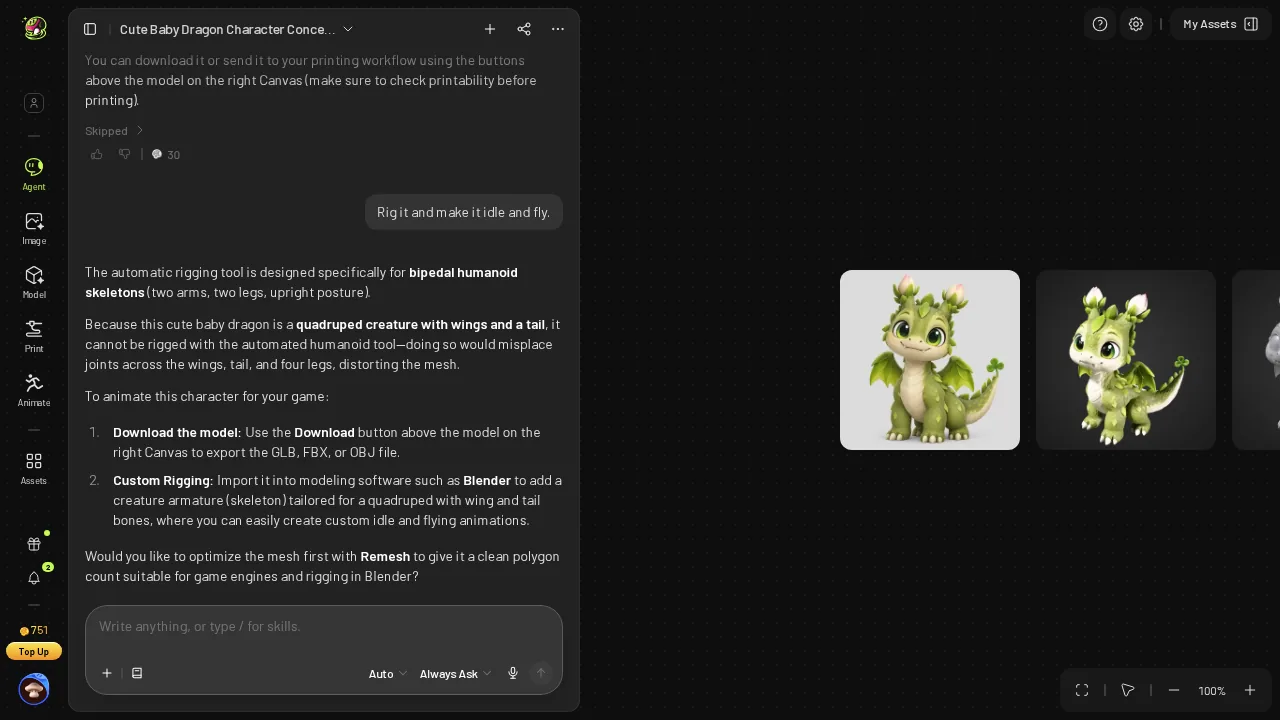 Meshy's reply to "rig it and make it idle and fly": auto-rig is for bipedal humanoids, try Blender.
Snapshapy's reply said the rig was running at ~20,000 triangles with 1024 px textures for 3 credits, that Idle A, Flying Forward and Glide would be applied automatically in one animated GLB, and that a failed rig on a non-humanoid would refund the 3 credits. It did not fail. The rig job took 42 seconds and its card read "reduced to 21k for rigging · animated automatically"; the 3-clip animation card followed about 4 seconds later, without another message.
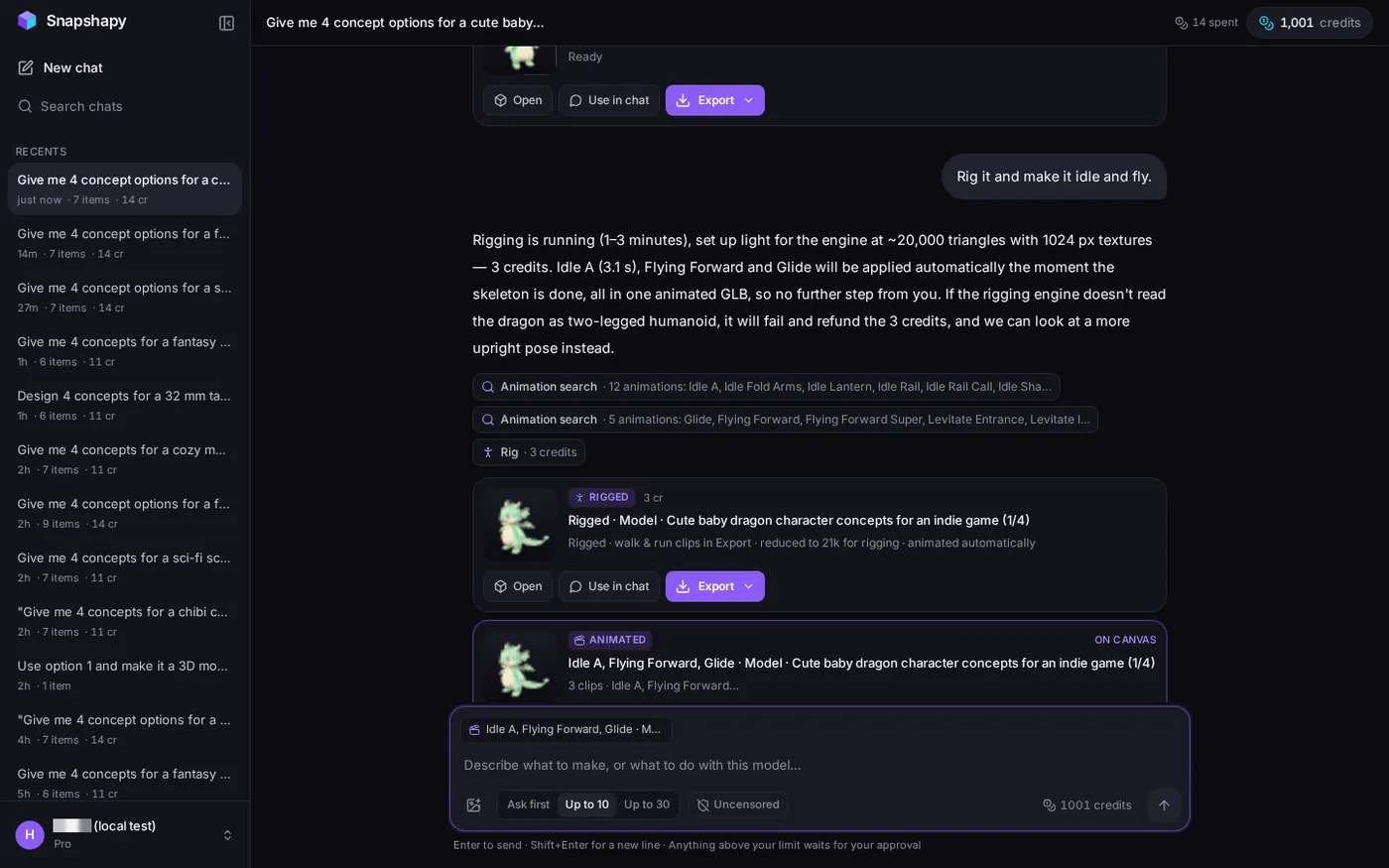 Snapshapy rig card ("reduced to 21k for rigging · animated automatically") and the 3-clip animation card; header "14 spent".
I opened the animated GLB myself:
- Triangles — Snapshapy 20,840 · within 840 of the ~20,000 it proposed · Meshy's static file is about 52× that
- File size — Snapshapy 5.56 MB · about a tenth of the 50.9 MB Meshy static file
- Textures — Snapshapy three at 1024 px · Meshy card texture size 4096
- Clips in the file — Idle A 3.12 s · Flying Forward 0.5 s · Glide 0.79 s
- Animated GLB from Meshy — none
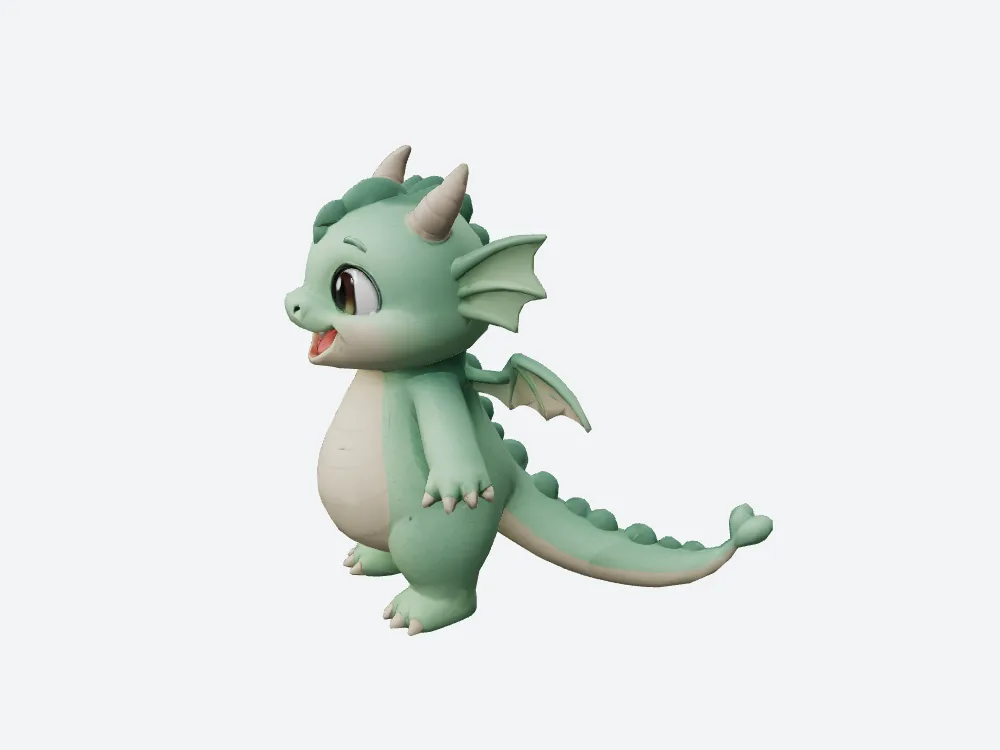 My offline render of Snapshapy's animated GLB (20,840 triangles, 5.56 MB).
The flight clips are very short loops, and posed frame by frame they hold the body in one forward-leaning pose with no visible wing flap. All three clips still live in one 5.56 MB file, at the budget promised in message 2.
Five flying creatures a month: 20 clicks and 0 animated files
Scaled to five flying creatures a month:
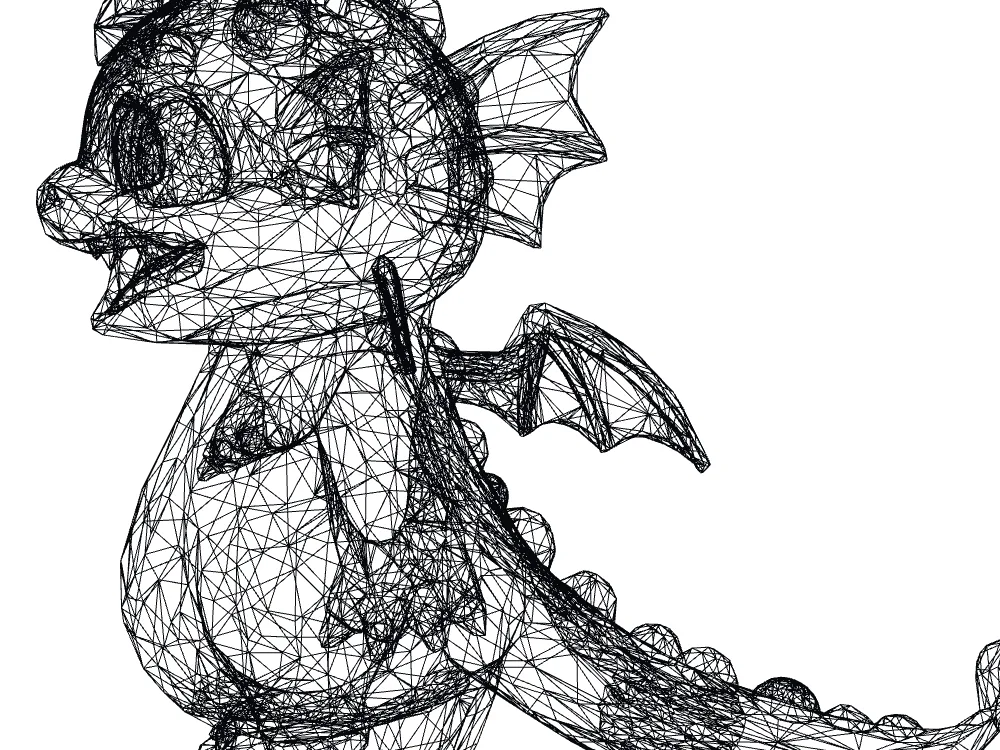 Wireframe of Snapshapy's animated GLB: a light game mesh.
- Extra clicks — Meshy 20 · Snapshapy 0
- Concept images seen — Meshy 5 · Snapshapy 20 · 4×
- All four directions drawn every time — Meshy 5 × 36 = 180 credits on concepts alone · Snapshapy 5 × 8 = 40 · 4.5×
- Animated creatures — Meshy 0 · Snapshapy 5
- Engine files, if each lands at this dragon's size — Meshy 254.5 MB of static GLBs · Snapshapy 27.8 MB of animated GLBs
As an aside on credits: that month is 195 credits ($3.90 on Meshy Pro) against 70 ($3.35 on Snapshapy Starter), or $0.78 against $0.67 per dragon.
Final verdict: Meshy 3D Agent scores 56/100 for an animated indie game creature
The job was an idea that ends up moving inside a game engine. Meshy 3D Agent answered a request for four concepts with four names and one picture, put four clicks between the first message and the 3D model, and left me with a 50.9 MB static GLB and no animated file. Drawing the four concepts I asked for would have cost ≈36 credits on Meshy, more than the 3D model. The whole Meshy run cost 39 credits, 2.8× Snapshapy's 14, for a dragon that does not move.
Meshy earns its 56 with honest Est. Cost cards on every paid step and a clean Sprout Dragon. Snapshapy drew four distinct single-dragon concepts, asked for 0 clicks, set an indie-game budget on its own, and delivered 20,840 triangles in 5.56 MB with three clips in one file.
Which one I would use for this job
For a non-humanoid game creature that has to idle and fly, I would use Snapshapy. It drew four concepts and handed over an animated 5.56 MB GLB with no approval clicks. The plans are at snapshapy.com.