Readers using a glb viewer can see what to verify in an AI-generated keychain file: dimensions, watertightness, manifold status, and STL output. This review follows Meshy 3D Agent through the same task and compares the resulting workflow with Snapshapy.
Before Meshy 3D Agent gave me a print file for a 5 cm corgi keychain, it ran a printability analysis for 0 credits and reported "Watertight: Yes" with a warning about degenerate faces. That part was good. Then Meshy told me to set the 50 mm myself, in the export dialog. The dialog opened with Resize off at 12.00 cm, I typed 5 cm, and the STL came out at 39.7 × 61.33 × 50.0 mm and 17.4 MB. Snapshapy's 3D Agent answered the same message with a 1.5 MB STL that measured 50.0 mm on its longest side before I touched a single setting.
I tested Meshy 3D Agent at meshy.ai and Snapshapy's 3D Agent at snapshapy.com with the same three messages, typed verbatim: "Give me 4 concepts for a chibi corgi keychain figure.", "Use option 1 and make it a 3D model." and "Prepare a print file for a 5 cm keychain." Whenever an agent showed a choice card, I picked the first option. Both accounts were paid tiers: Meshy Pro at $20 a month for 1,000 credits, and Snapshapy Pro.
I ran the Snapshapy side the next day, after an update; the Meshy numbers are from the first day. Meshy ran on 2026-11-03, Snapshapy on 2026-11-04 in a new conversation. This review is about the third message; every size below is from my own mesh tool.
My verdict in 60 seconds — Meshy 3D Agent 62/100, Snapshapy 87/100
Meshy 3D Agent checks a keychain for printability honestly and for free, but it hands the one number I typed, 5 cm, back to me to enter in a download dialog.
- 5 cm sizing — Meshy 4/10 · Snapshapy 10/10 — I set 5 cm in a Meshy dialog that opened at 12.00 cm with Resize off; Snapshapy exported 50.0 mm on the longest side by itself
- Print-ready file — Meshy 8/10 · Snapshapy 9/10 — both watertight, 1 body, 0 non-manifold edges; 3 degenerate faces vs 0
- STL file size — Meshy 4/10 · Snapshapy 9/10 — 17.4 MB vs 1.5 MB, 11.6×, ≈11.6 s vs ≈1.0 s on 12 Mbps
- Clicks beyond the messages — Meshy 4/10 · Snapshapy 9/10 — ≈11 vs 2, ≈220 vs 40 over 20 designs
- Keyring loop in the print mesh — Meshy 6/10 · Snapshapy 8/10 — Snapshapy's ring is part of the one body with a ≈8.66 mm hole; I did not measure the Meshy loop
- Credits per keychain — Meshy 4/10 · Snapshapy 9/10 — 39 vs 11, $0.78 vs $0.52, 3.5×
- Speed — Meshy 9/10 · Snapshapy 5/10 — ≈98 s vs ≈311.5 s of job time for the whole run
- Print detail / mesh density — Meshy 9/10 · Snapshapy 6/10 — 348,454 vs 29,972 faces, 0.244 vs 0.581 mm mean edge
The concrete Meshy problems for this job:
- Meshy answered "Prepare a print file for a 5 cm keychain" with instructions to set 50 mm myself.
- The Meshy download dialog opened at Height 12.00 cm with Resize off, and took 7 clicks in the viewer and dialog.
- Meshy applied 5 cm to the height, so the loaf-shaped keychain measured 61.33 mm on its longest side.
- The Meshy STL weighs 17.4 MB and still holds the 3 degenerate faces Meshy itself flagged.
For a 5 cm printed keychain, I would use Snapshapy.
"Watertight: Yes" for 0 credits, before any file existed
Meshy deserves the first word here. Message 3 did not start a paid job on Meshy. Meshy 3D Agent opened with "Analyzed printability", reported "Watertight: Yes", and flagged "Status: Warning (degenerate faces detected)". My Meshy balance read 682 before the message and 682 after it, so the check cost nothing.
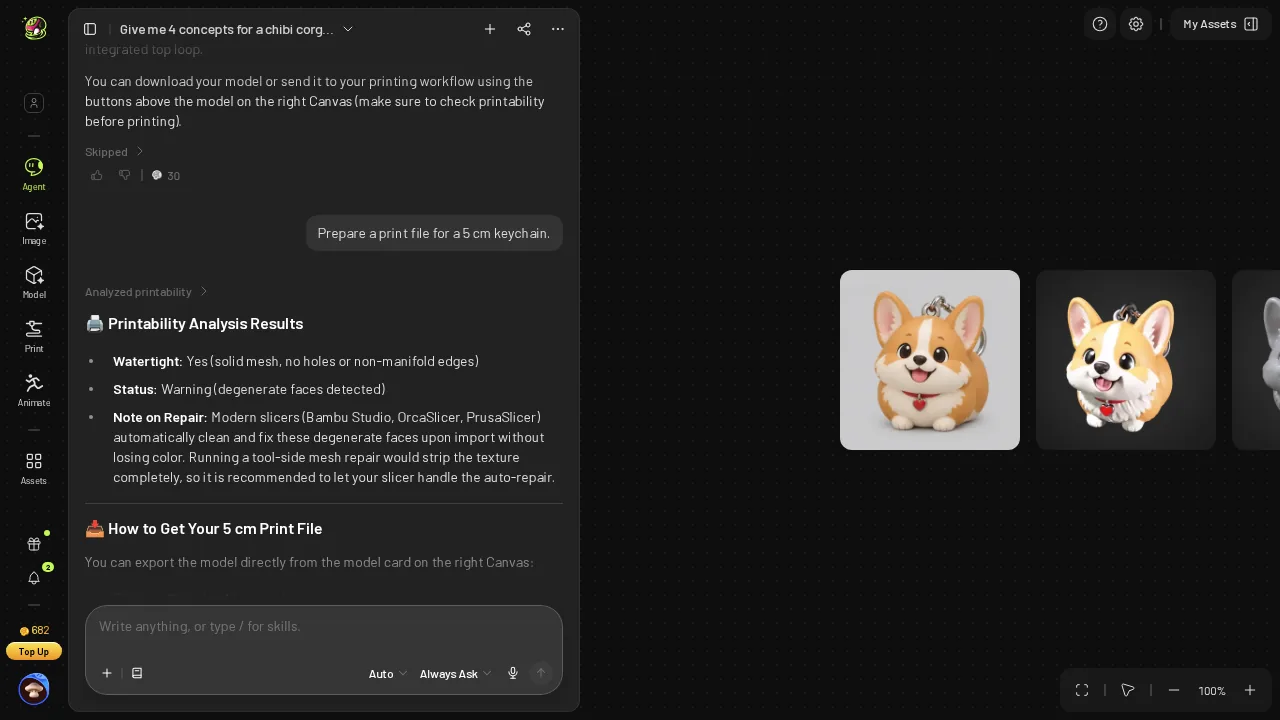 Meshy's message-3 reply: a free printability analysis, watertight, with a degenerate-face warning.
My own mesh tool agreed with Meshy on the essentials. The Meshy STL is watertight, it is one body, it has 0 non-manifold edges, and it is printable. The warning was accurate as well: my tool counted 3 degenerate faces in the file.
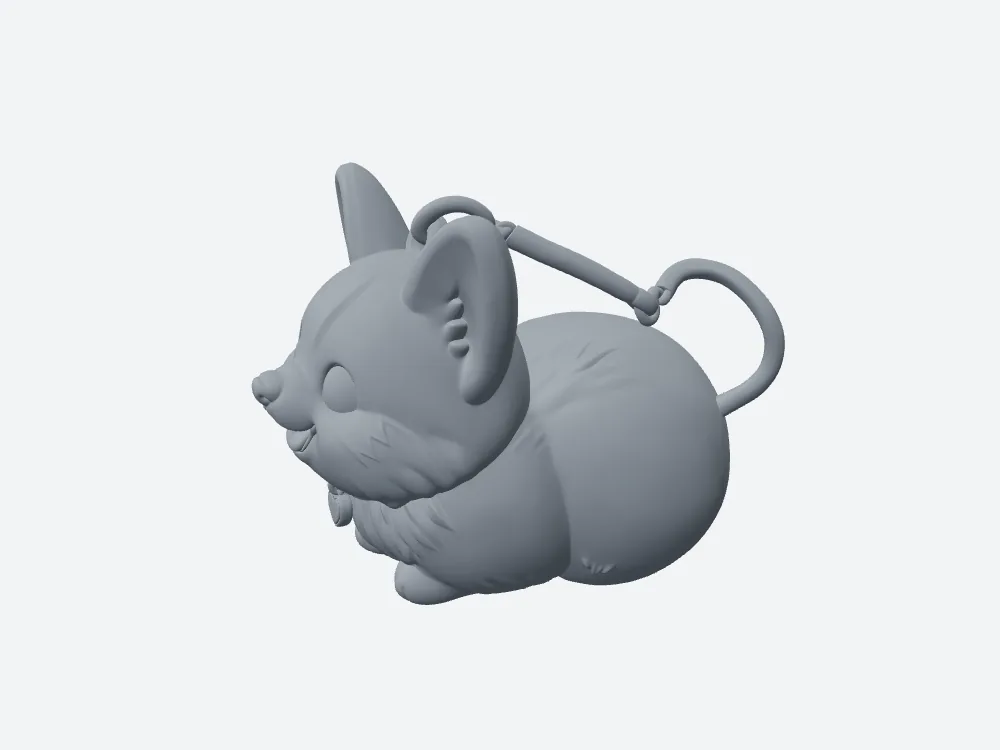 My render of Meshy's 5 cm STL in grey: watertight, 1 body.
- Print check price — Meshy 0 credits · Snapshapy 0 credits
- Watertight verdict in the chat — Meshy "Watertight: Yes" · Snapshapy "watertight" on the card
- Degenerate faces in my check — Meshy 3 · Snapshapy 0
The Meshy analysis was free and correct. It just did not produce the 5 cm file.
"Set the target height to 50 mm" was an instruction to me
After the check, Meshy's answer to my print message was a set of directions: "Set the target height to 50 mm (5 cm) directly in the export dialog, or scale the Z-height to 50 mm in your slicer." The only number in my message came back to me as a task.
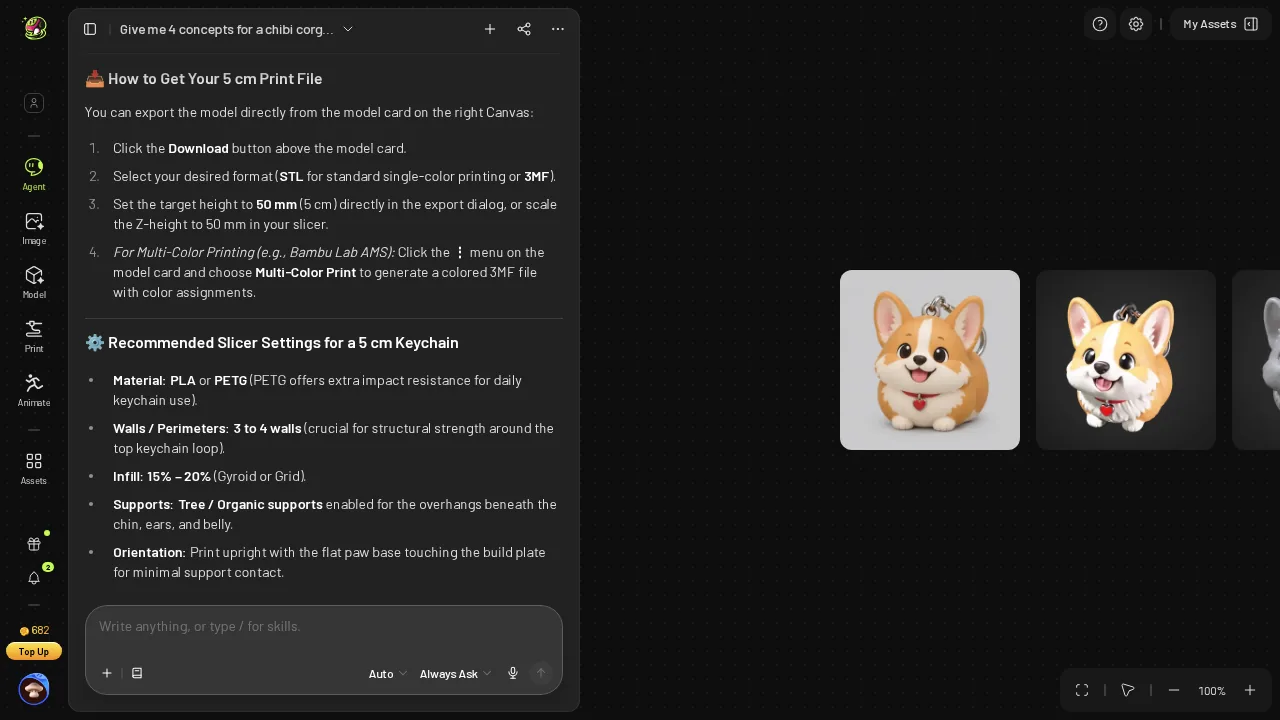 Meshy tells me to set 50 mm in the export dialog myself, plus slicer settings; balance 682.
Meshy's slicer advice was specific, PLA or PETG, 3–4 walls, 15–20 % infill, tree supports under the chin, ears and belly, printed upright, and Snapshapy gave me no slicer settings at all.
The degenerate-face warning stayed a warning. Meshy did not clean the 3 faces up; they were still in the STL I downloaded, left for the slicer to handle. The instruction also cost clicks: of the ≈11 clicks Meshy needed beyond my three messages, 7 came after this reply, in the viewer and the download dialog.
Resize off, 12.00 cm: the dialog I had to reset
I opened the Meshy download dialog. It showed Resize off and a Height of 12.00 cm. The format field held the format from my last download, a remembered choice, not an STL default. Three fields stood between me and a 5 cm keychain.
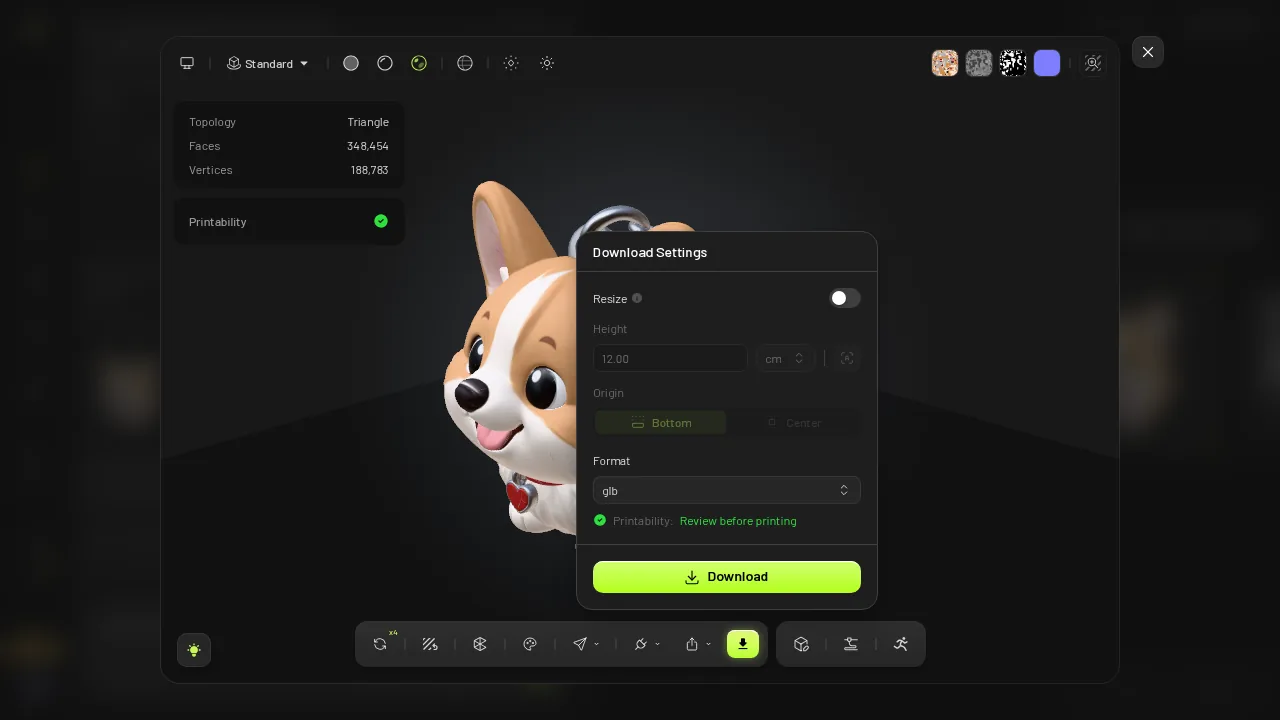 Meshy's download dialog as it opened: Resize off, 12.00 cm.
I switched Resize on, typed 5 cm, picked STL and pressed Download. The download took about 4 s.
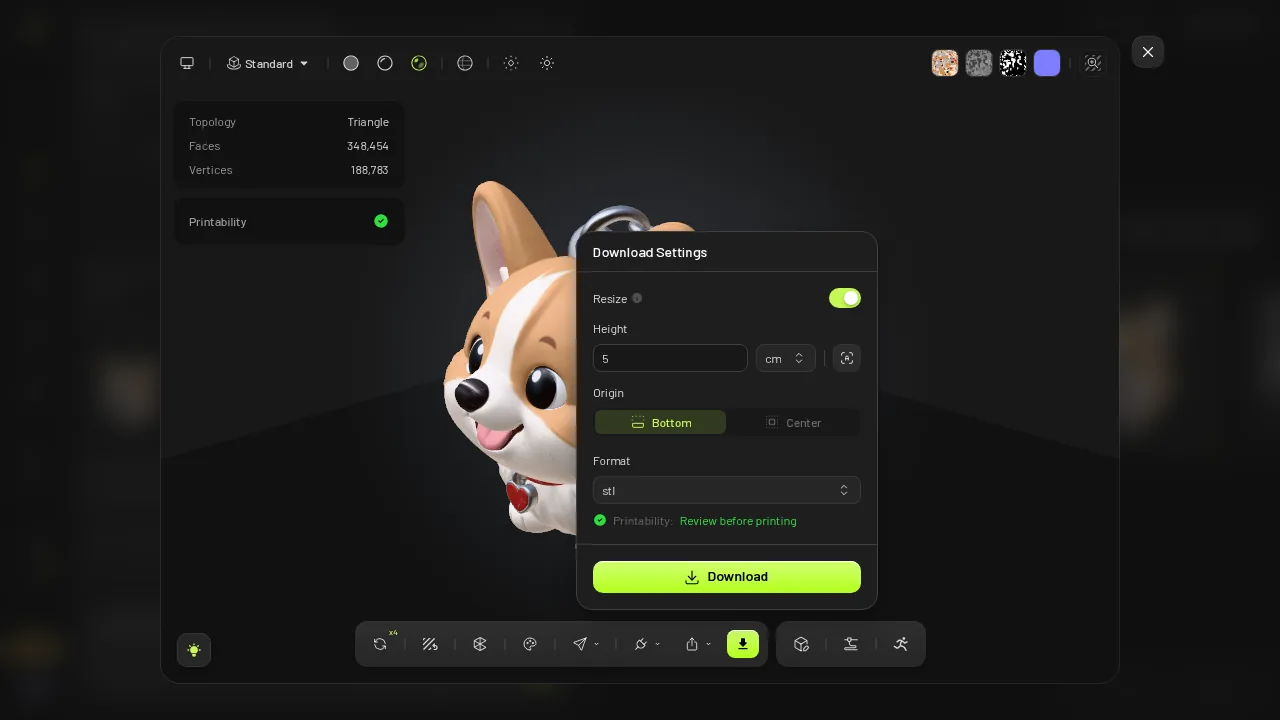 The same dialog after I switched Resize on, typed 5 cm and picked STL.
- Clicks beyond the 3 messages — Meshy ≈11 (choice select + Submit, 2 × Approve, 7 in the viewer and dialog) · Snapshapy 2 (Export → STL)
- Over 20 keychain designs — Meshy ≈220 clicks · Snapshapy 40
- Size settings I changed by hand — Meshy 3 (Resize, Height, format) · Snapshapy 0
Meshy can make a 5 cm file; it made one. But the size depended on me reading a box set for a previous download.
61.33 mm on the longest side, because 5 cm went to the height
Meshy's dialog applies the number to height. My corgi is a loaf that lies long, so after I set 5 cm my tool read 39.7 × 61.33 × 50.0 mm. The height is exactly the 50.0 mm I typed. The longest side measured 61.33 mm, front to back, 11.33 mm past 5 cm.
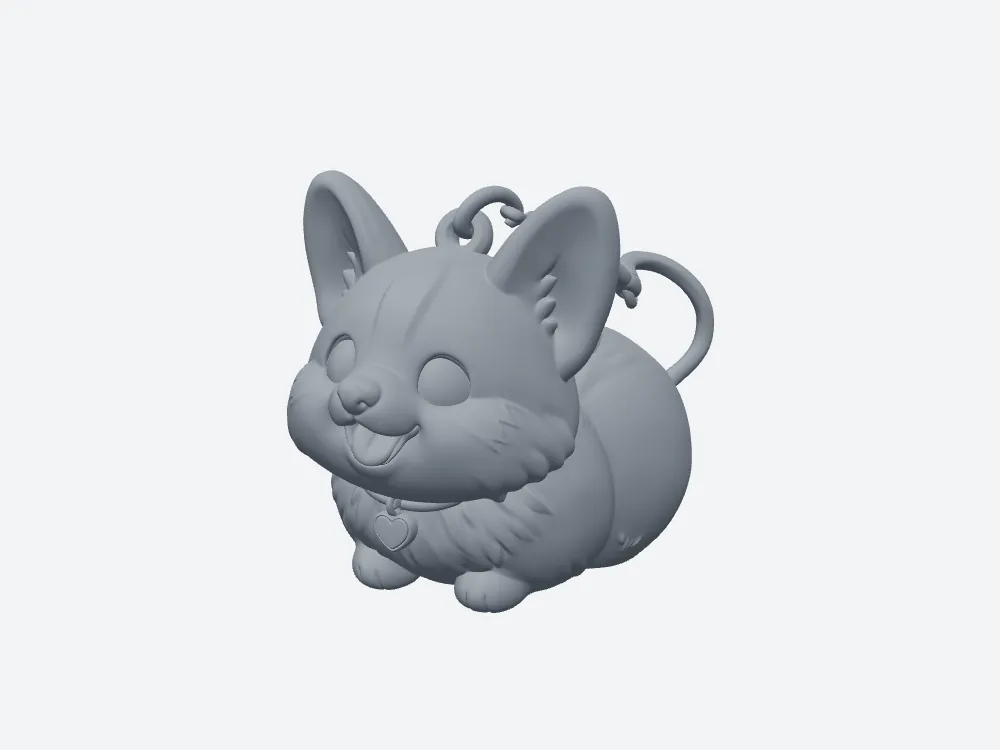 Meshy's STL, front view: 39.7 × 61.33 × 50.0 mm.
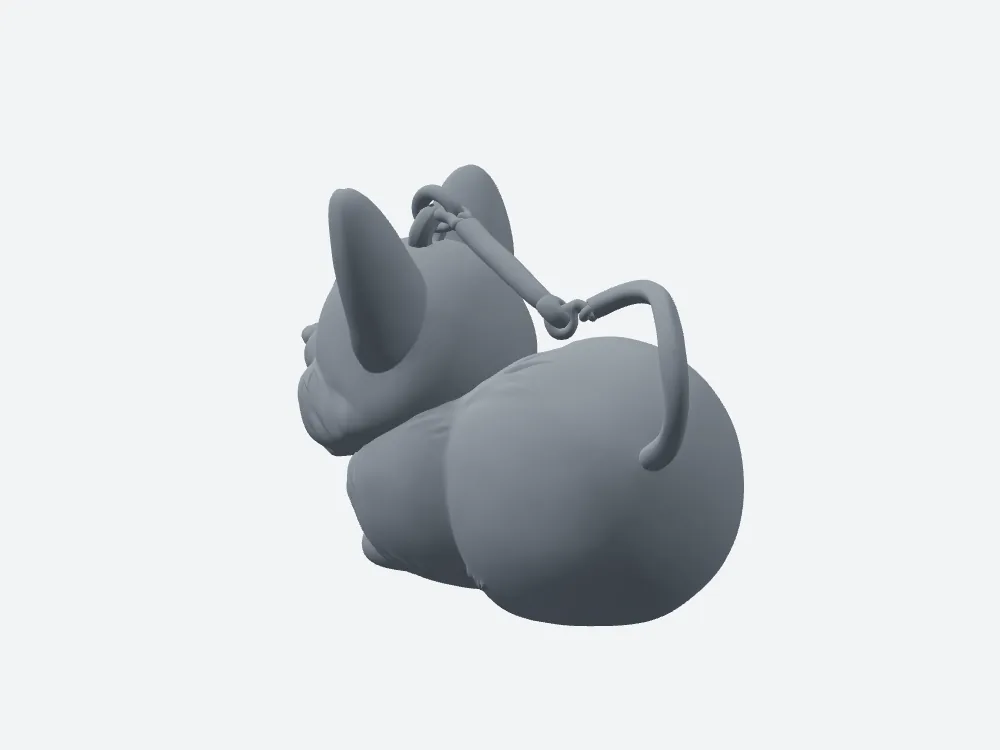 Meshy's STL, side view: the loaf body runs 61.33 mm front to back.
That is the dialog doing what it says. For a keychain, though, the longest side is the one that hangs off the ring, and Meshy never asked which axis I meant. Snapshapy's sitting corgi stands tallest, so its 50.0 mm height is also its longest side.
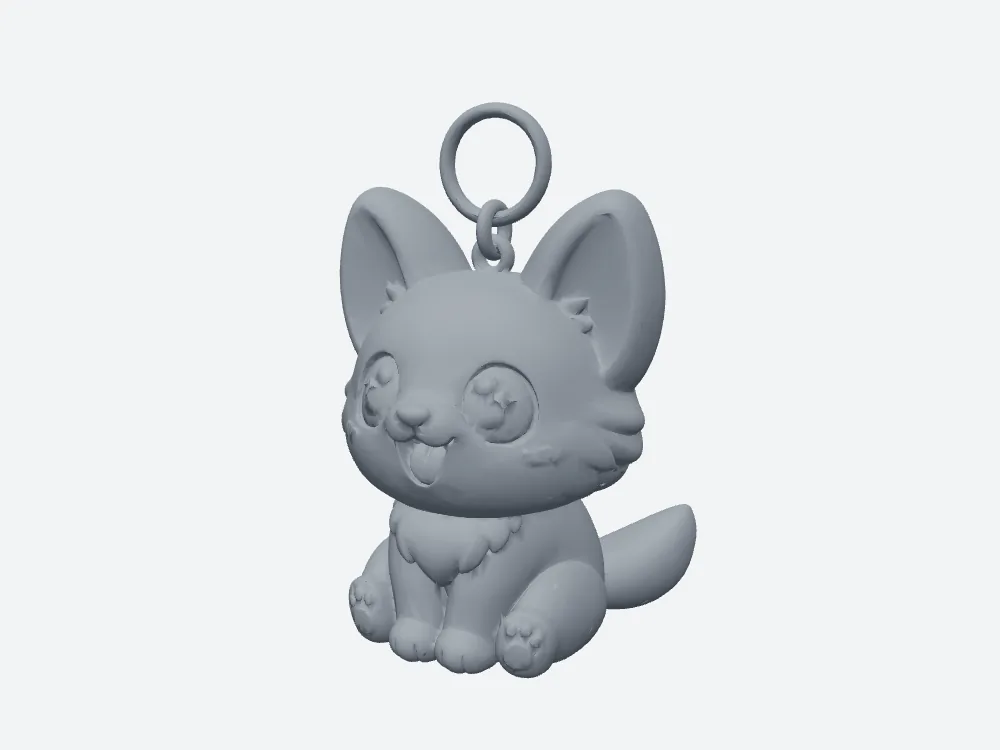 Snapshapy's STL, front view: 33.24 × 30.55 × 50.0 mm, keyring ring and link on top of the head.
- Bounding box — Meshy 39.7 × 61.33 × 50.0 mm · Snapshapy 33.24 × 30.55 × 50.0 mm
- Longest side — Meshy 61.33 mm (50 mm is the height) · Snapshapy 50.0 mm (the height)
- Volume — Meshy 48.27 cm³ · Snapshapy 14.79 cm³ (different shapes, sized on different readings of "5 cm", so I only list it)
"No slicer scaling needed" and a 5.1-second job
Snapshapy's reply to the same print message read: "The print prep is running now (free, about 30 seconds) — it strips the textures and repairs the mesh, and the STL/3MF will export at exactly 50 mm on its longest side, no slicer scaling needed." The job took 5.1 s.
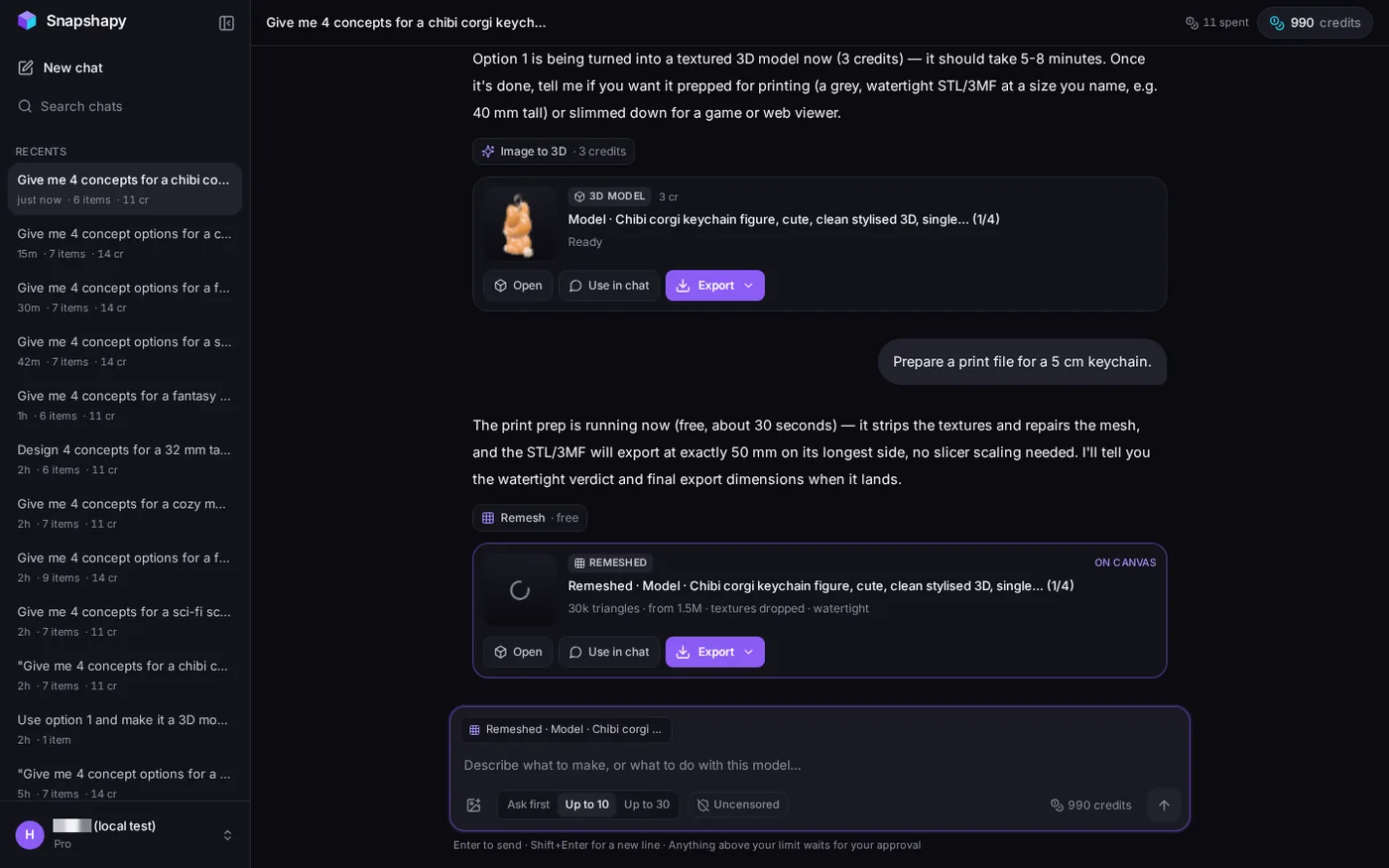 Snapshapy's reply to the print message: free, "exactly 50 mm on its longest side, no slicer scaling needed".
The card that came back said "30k triangles · from 1.5M · textures dropped · watertight". I clicked Export, then STL: 2 clicks, 4.6 s in the browser, and the file was already 50.0 mm. The balance stayed at 990, so the print step was free on both sides.
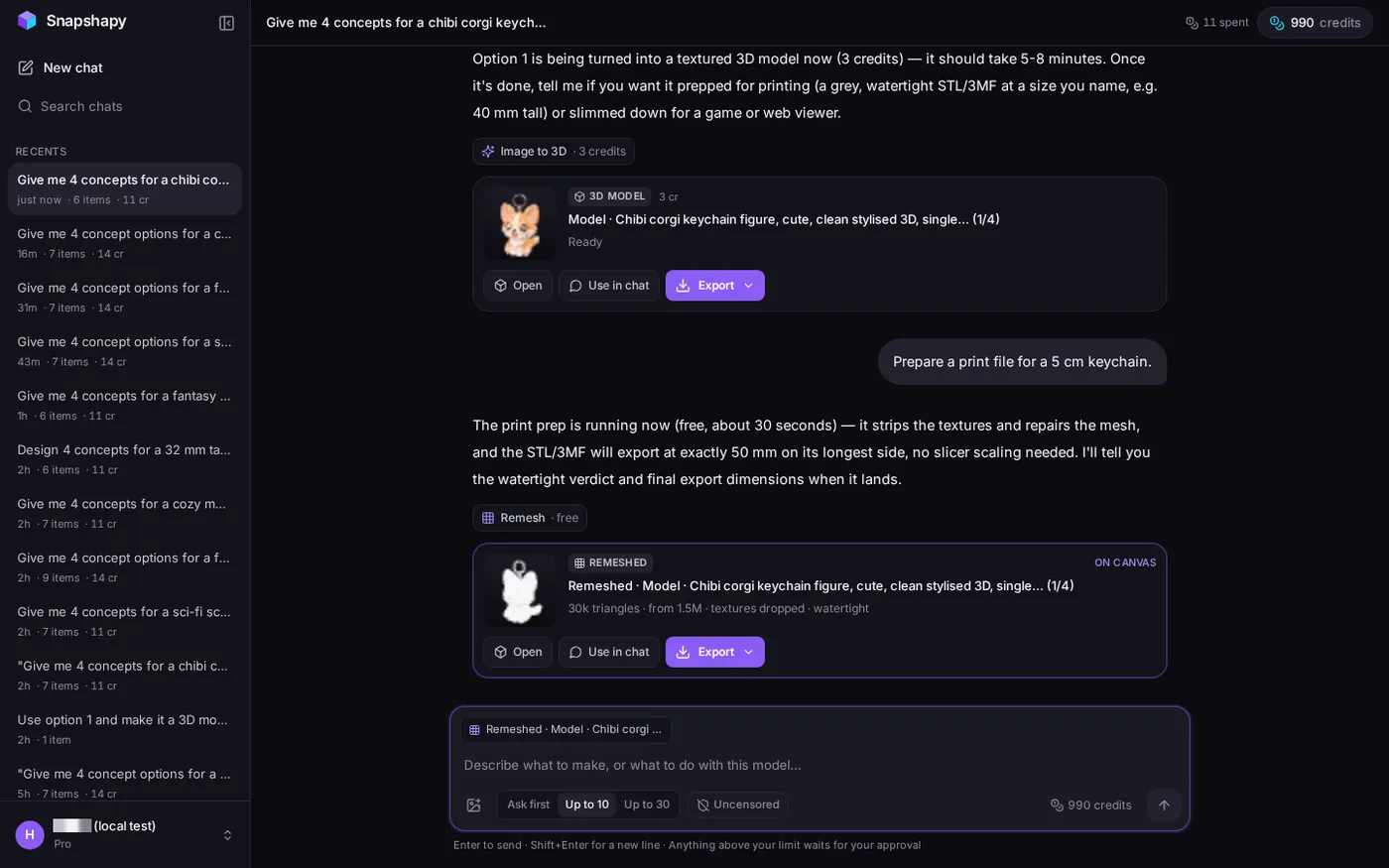 Snapshapy's print card: "30k triangles · from 1.5M · textures dropped · watertight"; header "11 spent", 990 credits.
Snapshapy's reply also promised "I'll tell you the watertight verdict and final export dimensions when it lands", and no follow-up message came, so the card's "watertight" was the only verdict I got. Meshy was faster over the whole run, ≈98 s of job time against ≈311.5 s, with image-to-3D at ≈72 s against 260.8 s.
17.4 MB for a 5 cm keychain, against 1.5 MB
The Meshy STL carries every face of the textured 3D model into a file for a 5 cm keychain. Snapshapy's card shows it cut its mesh down from 1.5M triangles before export.
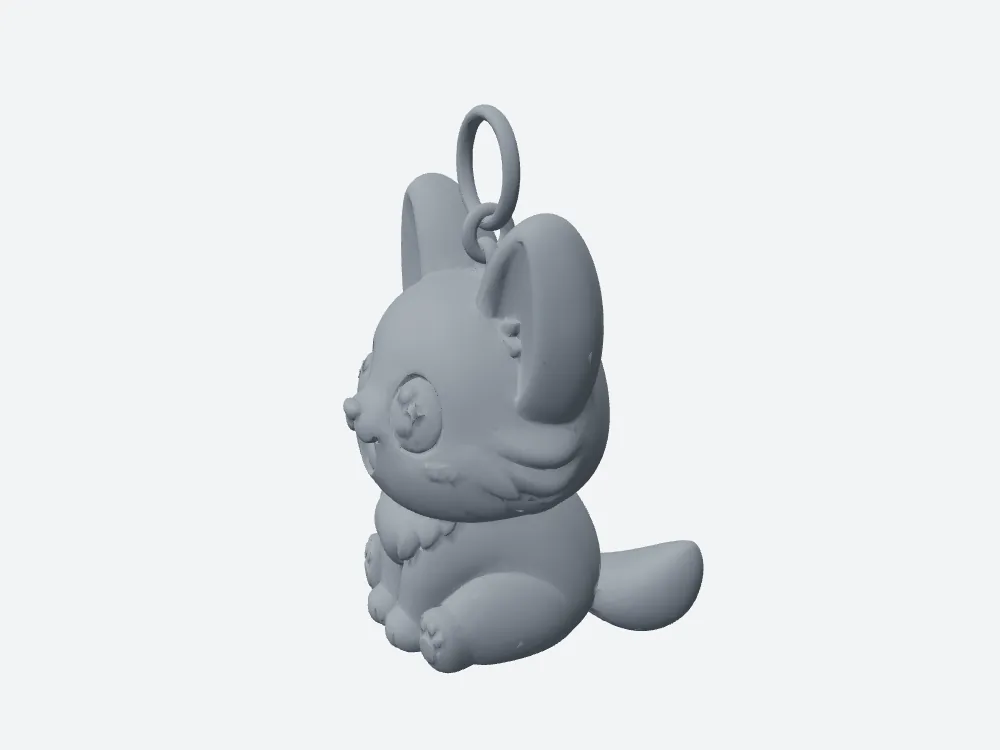 My render of Snapshapy's 5 cm STL in grey: watertight, one body, 1.5 MB.
- STL size — Meshy 17.4 MB · Snapshapy 1.5 MB · 11.6×
- Transfer on a 12 Mbps line — Meshy ≈11.6 s · Snapshapy ≈1.0 s
- Difference per keychain — 15.9 MB
- 20 keychain designs — Meshy 348 MB of STL · Snapshapy 30 MB
3 degenerate faces, 0 non-manifold edges: both files print
Plainly: the Meshy STL is printable. My tool found it watertight, one body, 0 non-manifold edges, 50.0 mm tall. Snapshapy's STL passed the same checks and added 0 boundary edges and 0 degenerate faces.
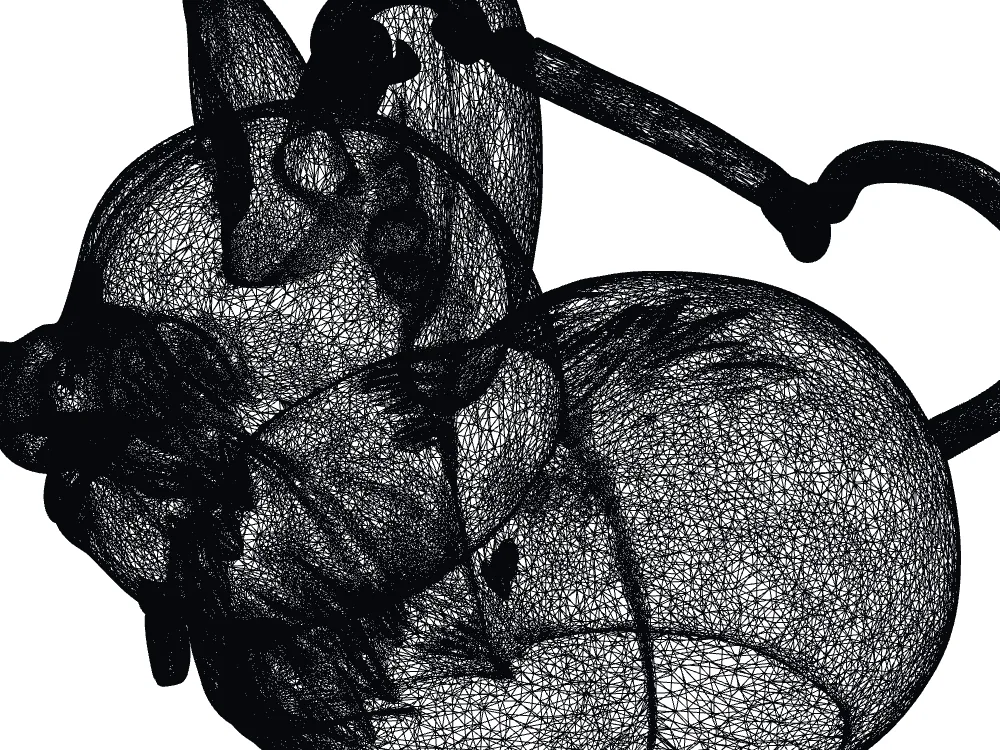 Meshy STL wireframe close-up: 348,454 faces, 0.244 mm mean edge.
- Watertight — Meshy yes · Snapshapy yes
- Bodies — Meshy 1 · Snapshapy 1
- Non-manifold edges — Meshy 0 · Snapshapy 0
- Degenerate faces — Meshy 3 · Snapshapy 0
- Overhang > 45° — Meshy 1,496.2 mm² (16.68 % of surface) · Snapshapy 685.2 mm² (15.62 % of surface)
Meshy's print mesh is denser, 348,454 faces with a 0.244 mm mean edge against Snapshapy's 29,972 faces at 0.581 mm, 2.4× coarser, and the two wireframes show it.
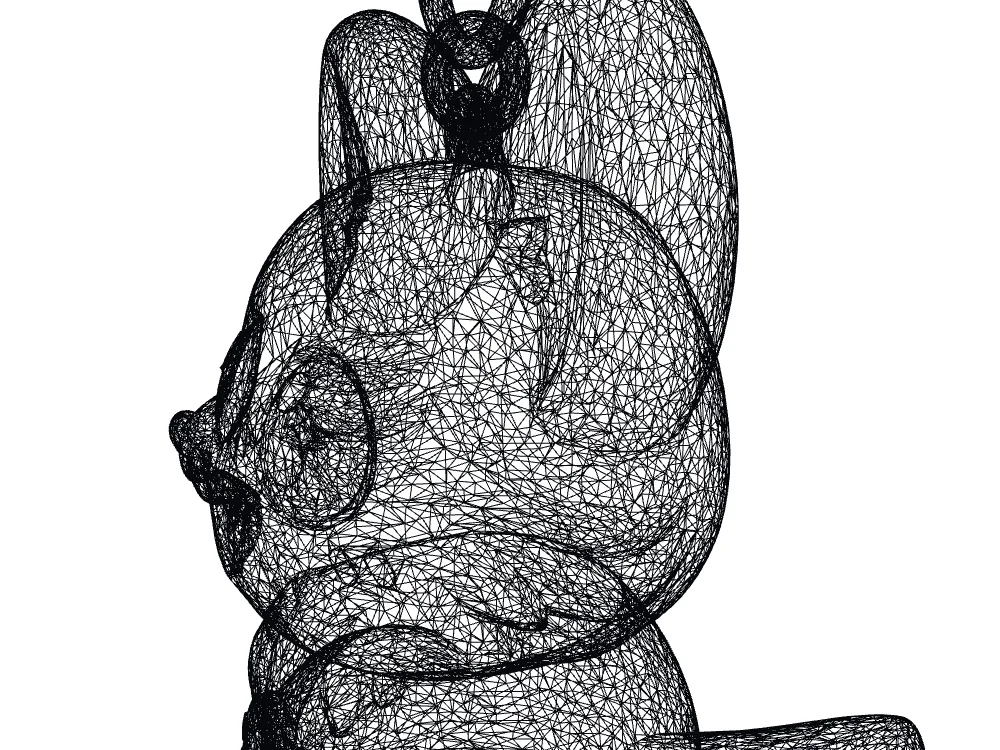 Snapshapy STL wireframe close-up: 29,972 faces, individual triangles visible.
So the print-ready line in my scorecard is 8 against 9: the single point is the 3 degenerate faces Meshy flagged and left in.
A keyring hole of ≈8.66 mm, in the same body
Every Snapshapy concept had a keyring loop on top, and the one I picked kept it all the way into the STL. The ring is part of the single body, with a hole ≈8.66 mm across, so a split ring goes straight through.
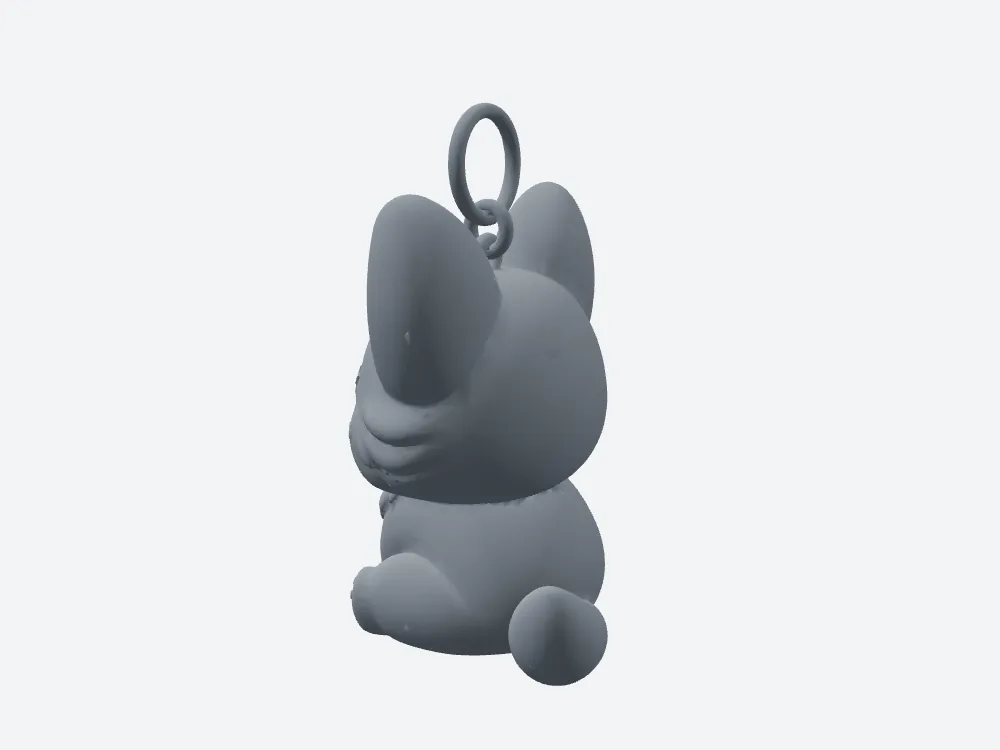 Snapshapy's STL, side view: the ring is part of the single body.
Snapshapy's ring is thin, ≈1.38 mm wire and a ≈1.27 mm link to the head, so I would print it in a tough material or thicken it.
The Meshy model has a loop modelled on top as well. I did not measure it, so I give Meshy no number here, good or bad.
Two asides: one concept, and 39 credits
The other two articles in this series cover these. I asked for 4 concepts. Meshy showed a text choice card, I picked Bread Loaf & Heart, approved 9 credits, and Meshy drew 1 image in ≈22 s. Snapshapy drew 4 single corgis for 8 credits with no approval.
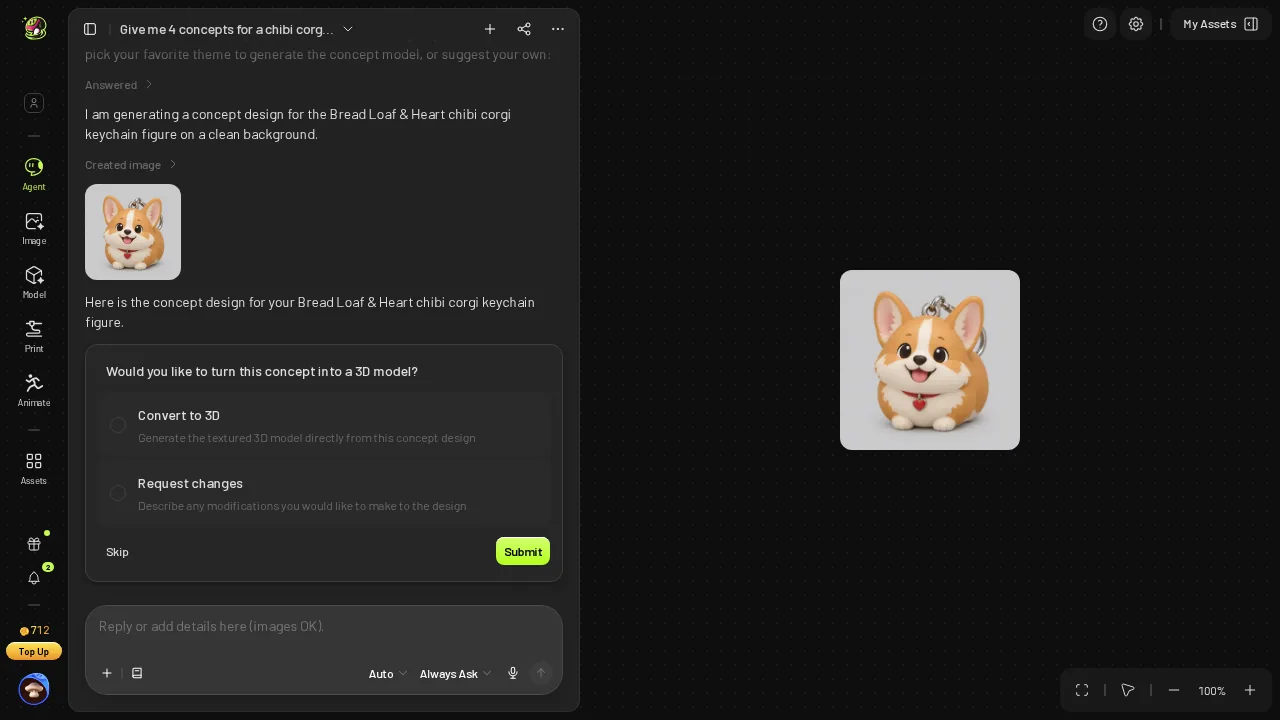 The single Bread Loaf & Heart concept in the Meshy chat.
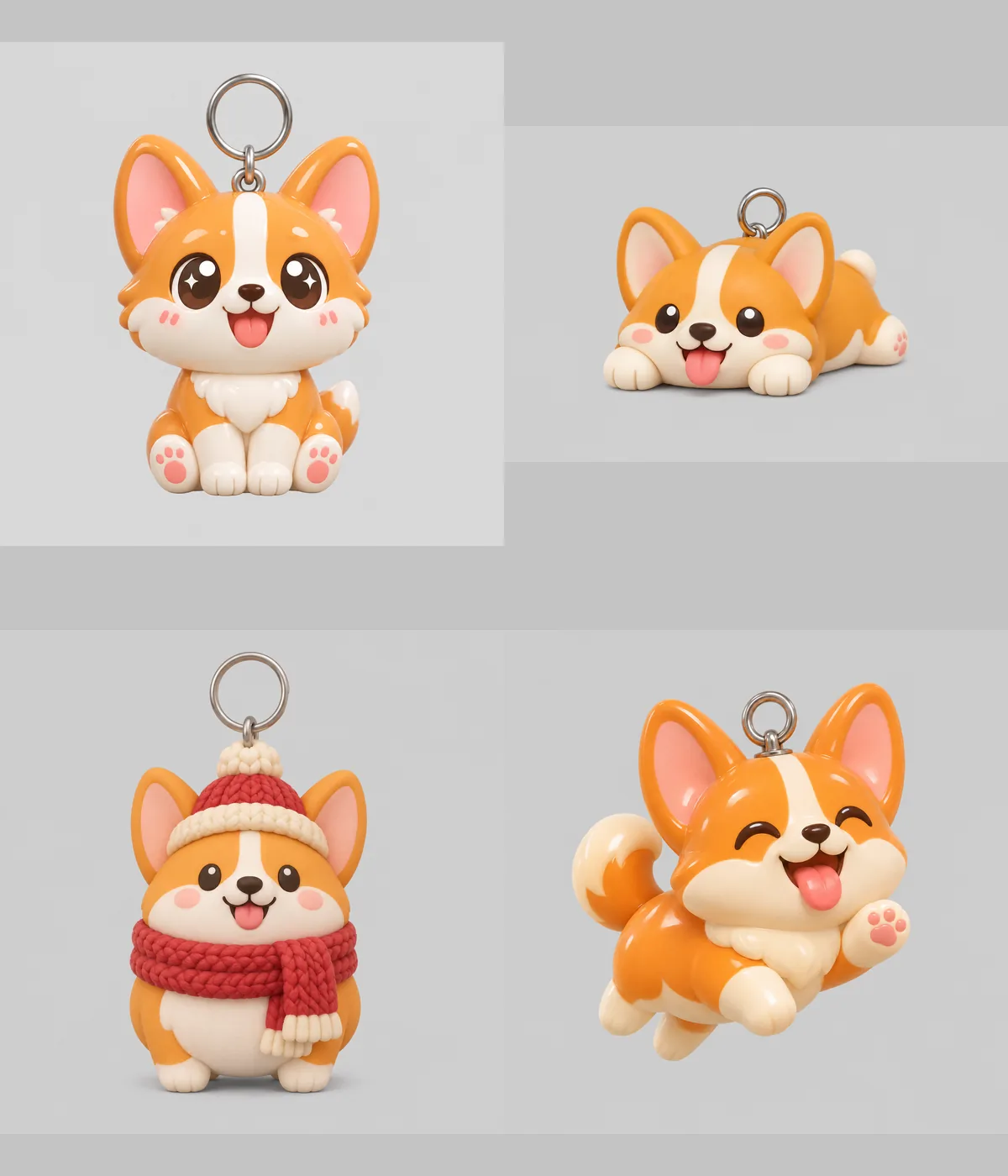 Snapshapy's four single-corgi concepts: sitting, lying on its belly, scarf and bobble hat, mid-hop; each with a keyring loop.
- Credits, whole run — Meshy 39 (721 → 712 → 682 → 682) · Snapshapy 11 (1,001 → 993 → 990 → 990) · 3.5×
- Dollars per keychain — Meshy $0.78 · Snapshapy $0.52 (Starter) or $0.53 (Pro)
- 20 keychain designs — Meshy $15.60 · Snapshapy $10.45
Final verdict: Meshy 3D Agent scores 57/100 for a 5 cm printed keychain
For this job I lower Meshy from 62 to 57. Meshy checked the file for free and told the truth about it, but it did not deliver the size I typed. I read a dialog set to 12.00 cm with Resize off, changed 3 settings, and got a keychain 61.33 mm on its longest side because 5 cm went to the height. The file is 17.4 MB, 11.6× the Snapshapy STL, with 3 degenerate faces. Over 20 designs that is ≈220 clicks, 348 MB and $15.60, against 40 clicks, 30 MB and $10.45.
Meshy keeps the points my scorecard gives it, starting with a free printability check that was right about the file. None of them gets a 5 cm keychain out of the Meshy chat without my hands on the size box.
For a 5 cm printed keychain, I would use Snapshapy.
Which one I would use for this job
If the job is a small printed keychain, I would use Snapshapy: one print message gave me a watertight, single-body STL at 50.0 mm on its longest side, with the keyring hole already in the mesh, for 2 clicks and 0 extra credits. Starter is $19 for 400 credits and Pro is $29 for 600, at 11 credits per keychain. The plans are at snapshapy.com.
If you do not mind typing the size into the Meshy dialog yourself, Meshy Pro at $20 for 1,000 credits gets you a printable file, at 39 credits and $0.78 per keychain.