If you came for a glb viewer, this guide shows how a text prompt can become a printable 3D keychain charm in Snapshapy, then covers STL dimensions, printability checks, and the slicer handoff.
I typed "a smiling avocado" into a keychain form and got back a watertight 45 mm STL with a ring loop, ready to slice, though 0.1 mm over the thickness limit the checks set. The first build came out too thick, so I redrew it once: 10 credits in total, about 5 minutes of actual build time for the version I kept, plus a couple of stalls I will tell you how to get past.
I wanted a small charm for my keys that I could print in one go, without modelling anything. Snapshapy has a 3D Agent you talk to in a chat, and a set of ready-made templates (it calls them Skills) for common print jobs. One of them is a keychain charm. Here is exactly what I did, what came out, and where it tripped.
What you need
- A Snapshapy account with credits. The keychain template is priced at 5 credits on its form: 2 for the concept picture and 3 for the 3D build. Making it printable is free.
- A one-line description of the charm, or a picture. I used text only.
- A slicer and a printer for the last step. The download is a plain STL, so any slicer will do.
Step 1 — Open the Keychain charm template
In a new chat, I clicked the Skills button under the message box. The menu lists the 3D printing templates with their prices: chibi figurine, pet toy, coin, keychain, fridge magnet, ornament, multi-colour figurine and a split statue. You can also browse the same template on its own page at snapshapy.com/templates/keychain.
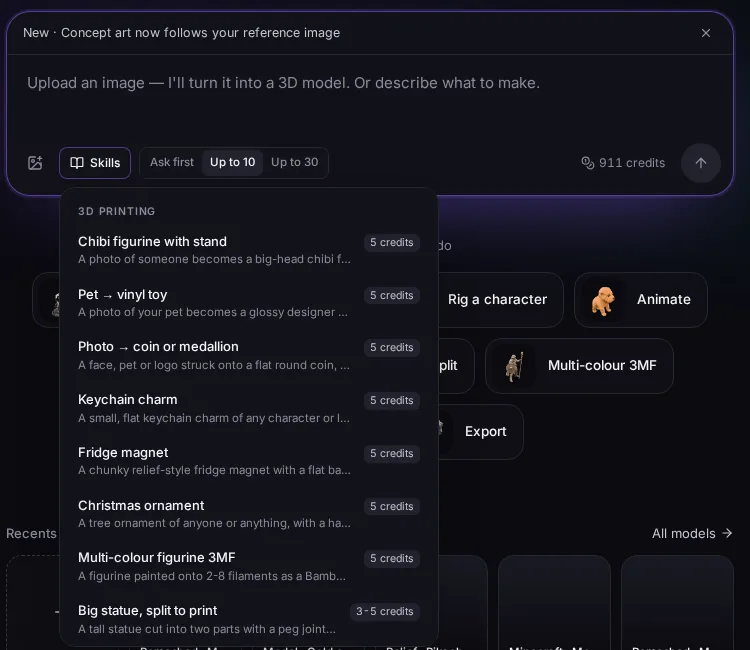 The Skills menu: every print template shows its credit price up front.
Step 2 — Fill in the form
The form is short. "Picture (optional)" lets you drop in a photo or a logo. Below it is "Or describe it", where I typed a smiling avocado. Then two numbers: Longest side (I set 45 mm) and Thickness (I set 5 mm). The footer showed 5 credits and "about 8 min". I clicked Run skill.
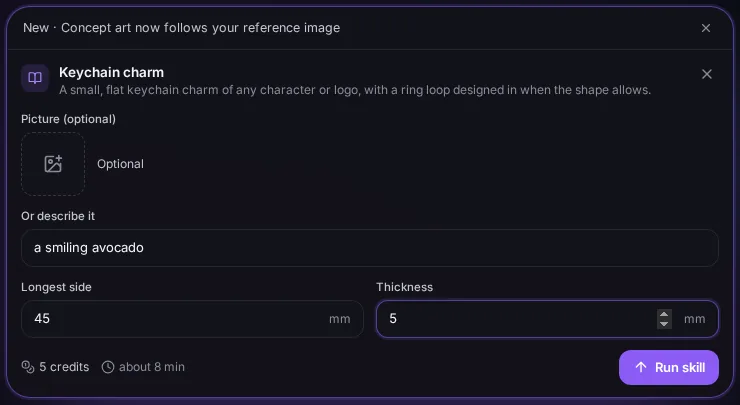 My filled-in form: a smiling avocado, 45 mm longest side, 5 mm thick.
Step 3 — Check the concept and approve the build
The agent first draws a flat concept picture. Mine took 37 seconds and cost 2 credits: a cartoon avocado with a happy face, pink cheeks, a brown pit and a ring loop on top. In chat mode the template then stops and asks before spending more: "Happy with this design? Building it in 3D costs 3 credits", with Build it in 3D, Redraw it and Change something.
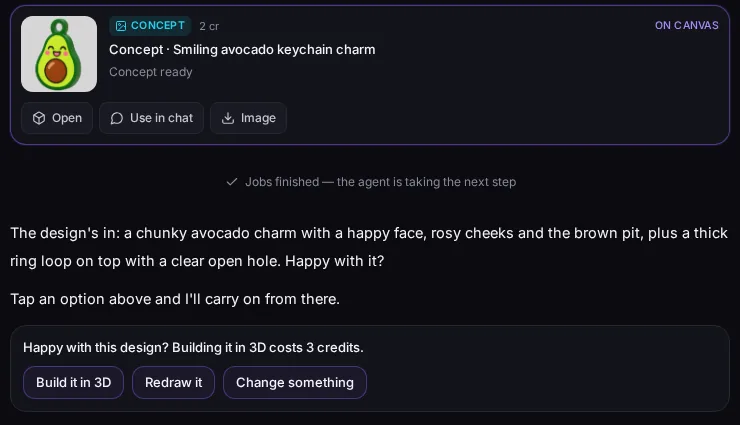 The concept and the approval question. Nothing past the concept is charged until you agree.
This is where my first stall happened. I clicked Build it in 3D, the agent replied that it was building the model now, and then nothing happened for 15 min: no new card, no credits spent. I typed "Please start the 3D build now." and the build started within seconds. If no 3D card appears within a minute of approving, send that message.
Step 4 — Let it build and make the print version
The 3D build took 409 seconds (about 7 minutes) and produced a textured model card. The agent then made the print version on its own: a free remesh sized to exactly 45 mm on the longest side, with the textures dropped and the mesh repaired. The card read "100k triangles · from 1.5M · textures dropped · watertight", and that step took 8 seconds.
The template is supposed to finish by reporting its checks. It said it would, but no report came. I asked: "The printable version is done. Please report the template checks." That brought up the checks panel, measured from the file, and it was honest about the problem:
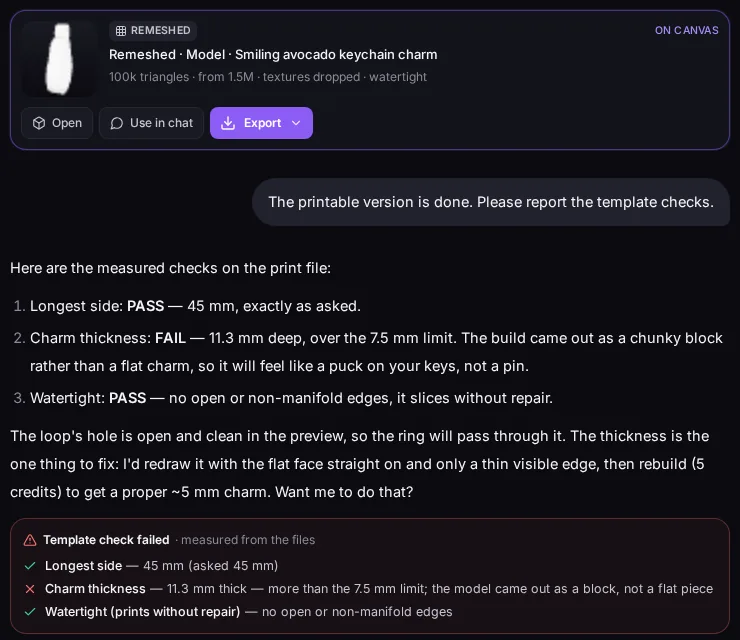 First attempt: the size is right and it is watertight, but at 11.3 mm it is a block, not a charm.
- Longest side: 45 mm, as asked
- Charm thickness: 11.3 mm, over the 7.5 mm limit
- Watertight: no open or non-manifold edges
I liked that the panel failed it instead of waving it through. An 11.3 mm lump on a keyring is not what I asked for.
Step 5 — Redraw it flatter and rebuild
The agent suggested a fix: redraw the concept with the face straight on and only a thin edge showing, then rebuild. I replied "Yes, redraw it as a flat charm face-on and rebuild it." The new concept took 30 seconds (2 credits) and looked like a flat slab with a thin rim.
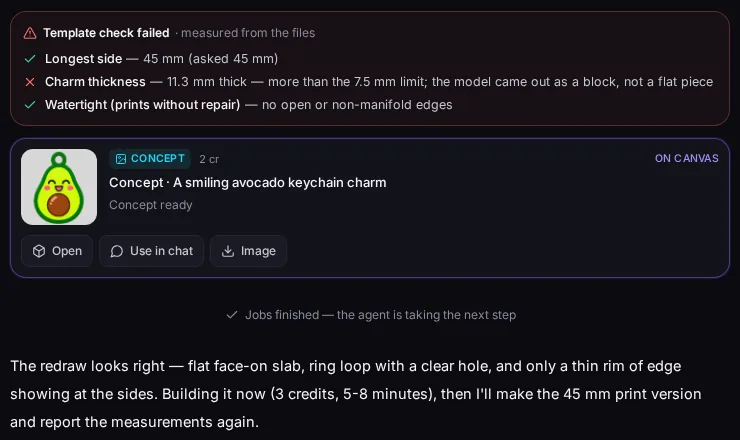 The redrawn concept: same avocado, drawn face-on as a flat piece.
The same stall came back. The agent wrote "Building it now" and did not start anything. Typing "Please start the 3D build of the new flat concept now." fixed it again. This build took 259 seconds, and the free print version followed in 8 seconds, this time at 30k triangles.
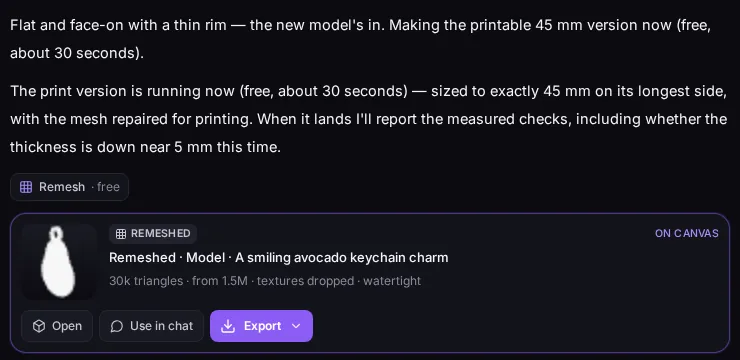 The second print version: watertight, textures dropped, sized to 45 mm.
I asked for the checks once more. Longest side passed at 45 mm, watertight passed, and thickness came in at 7.6 mm, just over the 7.5 mm limit and well down from 11.3 mm.
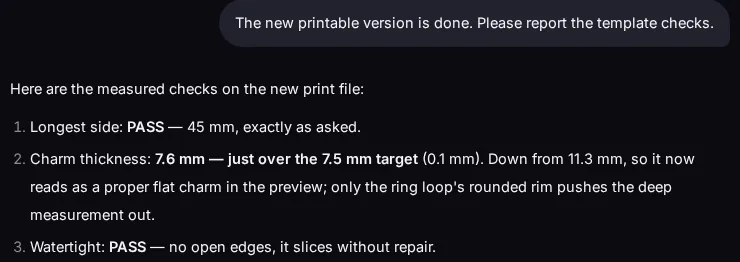 Second attempt: 45 mm and watertight, with 7.6 mm thickness, just 0.1 mm over the limit.
Step 6 — Export the STL and check what you got
The print card's Export menu offers GLB, STL, OBJ, 3MF and USDZ. I picked STL. The file is made in the browser, and mine was ready in about 3 seconds.
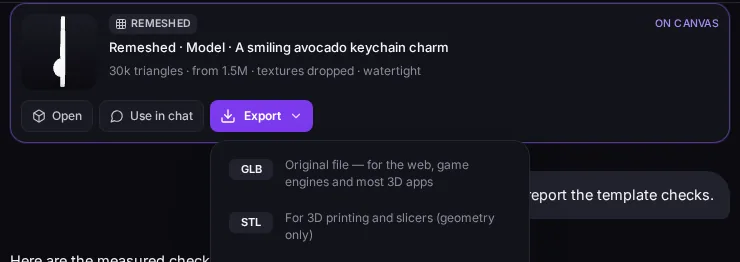 The top of the Export menu on the print version: GLB and STL, with OBJ, 3MF and USDZ further down.
One correction to the agent's own message: it said this card had an "Open in slicer" option. It did not. The menu had only the five formats, so I simply downloaded the STL.
I measured the downloaded STL myself instead of trusting the chat:
- Size: 45.0 × 30.96 × 7.59 mm (longest side exactly as asked)
- 29,960 triangles, one single body
- Watertight, with 0 open edges and 0 non-manifold edges
- Volume 2.85 cm³, so it uses very little filament
- File size 1.5 MB
I also downloaded the textured GLB of the same model (79 MB, ready after about 93 seconds in the browser) to render it:
 My render of the downloaded model: face, cheeks, pit and a clean open ring loop.
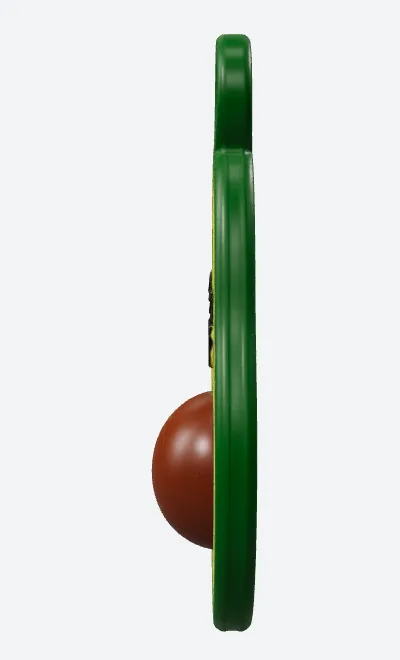 From the side: the plate itself is thin, and the domed pit on the front is what makes up most of the depth.
Tips, and what didn't work
- If the build doesn't start, say so. Twice out of two approvals, the agent said it was building and didn't. Both times an explicit "please start the 3D build now" started it within seconds. Give it a minute, then type it.
- Ask for the checks if they don't show up. Both times I had to ask for the final measurements. They are worth asking for: they caught a charm that was more than twice as thick as I wanted.
- Thickness is the weak spot. I asked for 5 mm and got 11.3 mm, then 7.59 mm after a redraw. The side view shows why: the pit is drawn as a dome. If you want a truly flat charm, describe the face as flat or printed-on in the first sentence.
- Keep the chat open while it works. The automatic next step (the print version) ran while I had the page open and watched it.
- Budget for a redo. A clean run is 5 credits. My redraw and rebuild cost another 5, so 10 credits in total.
FAQ
Do I need a photo? No. I used a single line of text. The picture slot is optional and is there if you want your own logo or pet on the charm.
Is the STL ready to slice? Mine was ready to slice, though 0.1 mm over the thickness limit the checks set: watertight, one body, exactly 45 mm on the longest side. The textures are dropped on the print version, so it prints in one colour unless you paint it afterwards.
How long does it take? The concept took 30 to 37 seconds, the 3D build 259 to 409 seconds, and the print version 8 seconds. Expect around 5 to 8 minutes of waiting per attempt, plus a minute if you have to nudge it.
What does it cost? 5 credits per attempt (2 concept + 3 build). The printable remesh and the exports were free.
Wrap-up
From one sentence to a 45 mm keychain STL I could slice, this was quicker than modelling it myself. The checks panel is the part I would keep using: it measured the file and told me plainly when the first charm came out as a brick. Just be ready to nudge the agent when it says it is building and nothing appears, and ask for the checks at the end.